
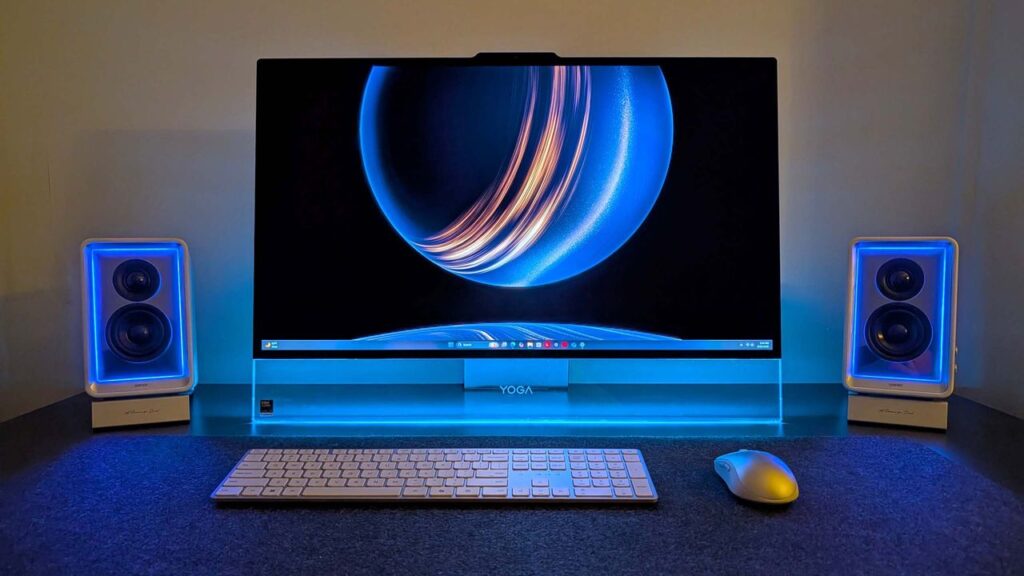

I’m a huge fan of all-in-one computers, and have pretty much daily driven one ever since Microsoft launched the first Surface Studio in 2016. Everyone agrees that the Surface Studio is in a league of its own when it comes to AiO design, and while other OEMs have tried to match it, none have come close.
So when Microsoft killed off the Surface Studio, I was incredibly sad. Although I never really used the Surface Studio’s unique canvas hinge, I did very much enjoy its design and display, and so when the time came to replace it, I was never entirely satisfied with my options. I moved to the HP Envy 32, then the HP Envy 34, before switching to a Lenovo Yoga AiO 32 line last year.
I’ve been happily daily-driving my Lenovo Yoga AiO 32 for over a year, and while it looked good on a desk, it wasn’t a head turner. Well, it appears Lenovo has taken that criticism to heart, as the follow-up is a complete redesign that puts sexy front and center.
The new Lenovo Yoga AiO i 32 Aura Edition is a true sight to behold. Complete with a transparent display chin that incorporates RGB lighting, a new upside-down V-shaped stand that’s unlike anything I’ve ever seen, an incredibly thin but capable computer built into said stand, and the best display I’ve ever seen on an all-in-one.
I’ve been daily driving this AiO for the last three weeks, and this is my full review.
This review was made possible via a review sample supplied by Lenovo. The company had no editorial input and did not view the contents of this review before publication.
Yoga AiO i 32 Aura Edition: Price and specs
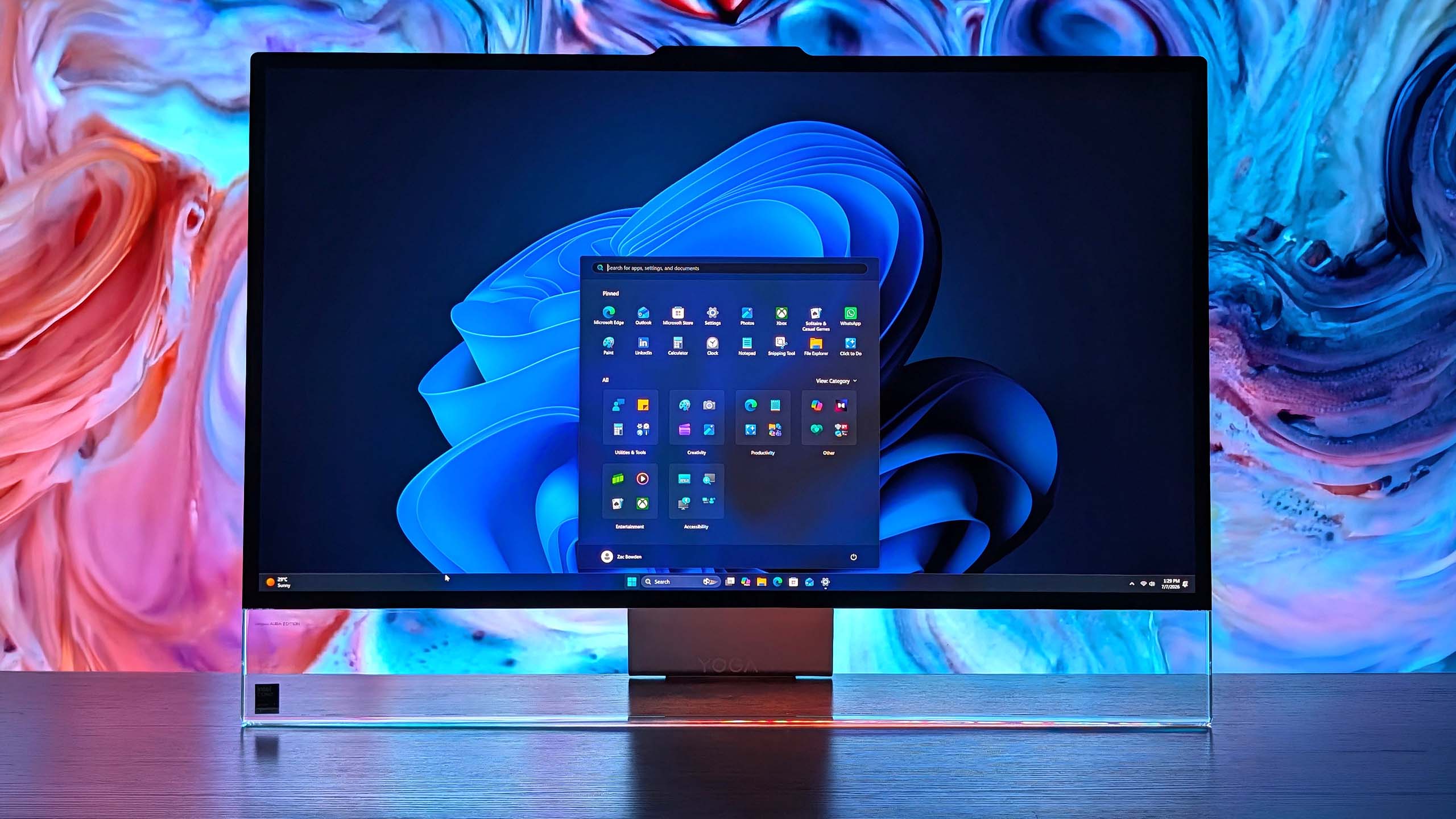
The Lenovo Yoga AiO i 32 Aura Edition is a mouthful of a name, but it does make it easy to find online. You can find the device available for purchase directly on Lenovo’s website for an eyewatering $3,097.99. There’s only one configuration available, so there’s no wiggle room on that price for now.
That configuration comes with an Intel Core Ultra X7 358H, paired with 32GB RAM and 1TB m.2 SSD storage. It also includes the Intel Arc B390 GPU, which drives the incredible 32-inch 4K OLED panel at 165Hz. Unfortunately, there are no configurations with a dedicated GPU from NVIDIA or AMD.
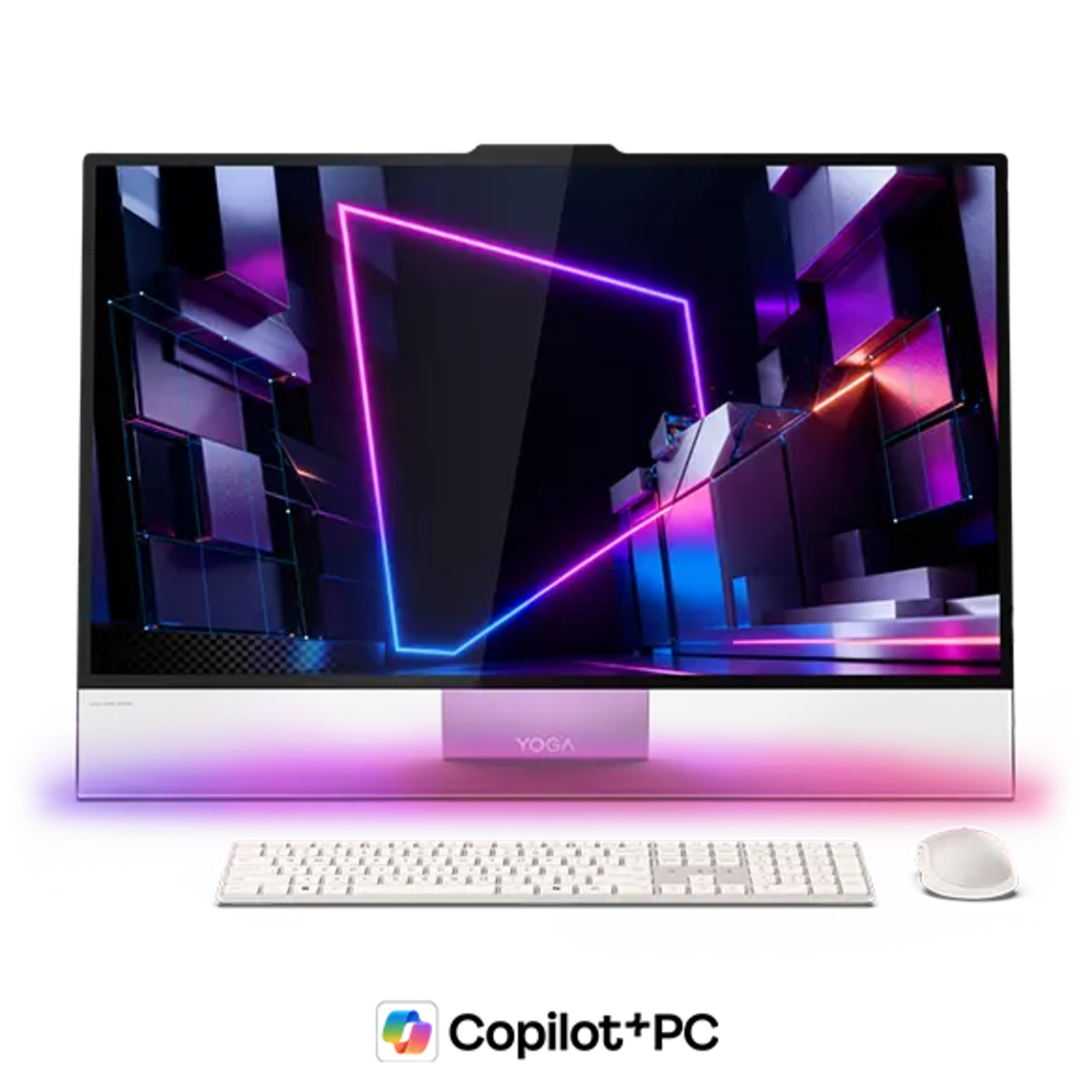
Lenovo’s new Yoga AiO i 32 Aura Edition is a sight to behold, complete with a unique design that features a transparent display chin with RGB lighting, the best 4K OLED I’ve ever seen fitted to an AiO, and incredible performance. View Deal
|
Specification |
Details |
|---|---|
|
Processor |
Intel® Core™ Ultra X7 358H (E‑cores up to 3.50 GHz, P‑cores up to 4.80 GHz) |
|
Operating System |
Windows 11 Home |
|
Graphics |
Integrated Intel Arc B390 Graphics |
|
Memory |
32 GB LPDDR5X‑9600MT/s (Soldered) |
|
Storage |
1 TB SSD M.2 2280 PCIe Gen4 TLC |
|
Display |
31.5″ UHD (3840×2160), OLED, Anti‑Reflection, Non‑Touch, 99% DCI‑P3, 225 nits, 165Hz |
|
Camera |
16MP RGB+IR with E‑Shutter |
|
Power |
330W |
|
Included Accessories |
Wireless Mouse; Wireless Helios Gen 2 Keyboard (Seashell, English US) |
|
Connectivity |
Wi‑Fi 7 2×2 BE & Bluetooth® 5.4 |
|
Warranty |
1 Year Mail‑in |
|
Color |
Seashell |
|
Xbox Game Pass |
Included |
|
Part Number |
F0JK0009US |
|
Price |
$3097.99 |
Yoga AiO i 32 Aura Edition: What I like
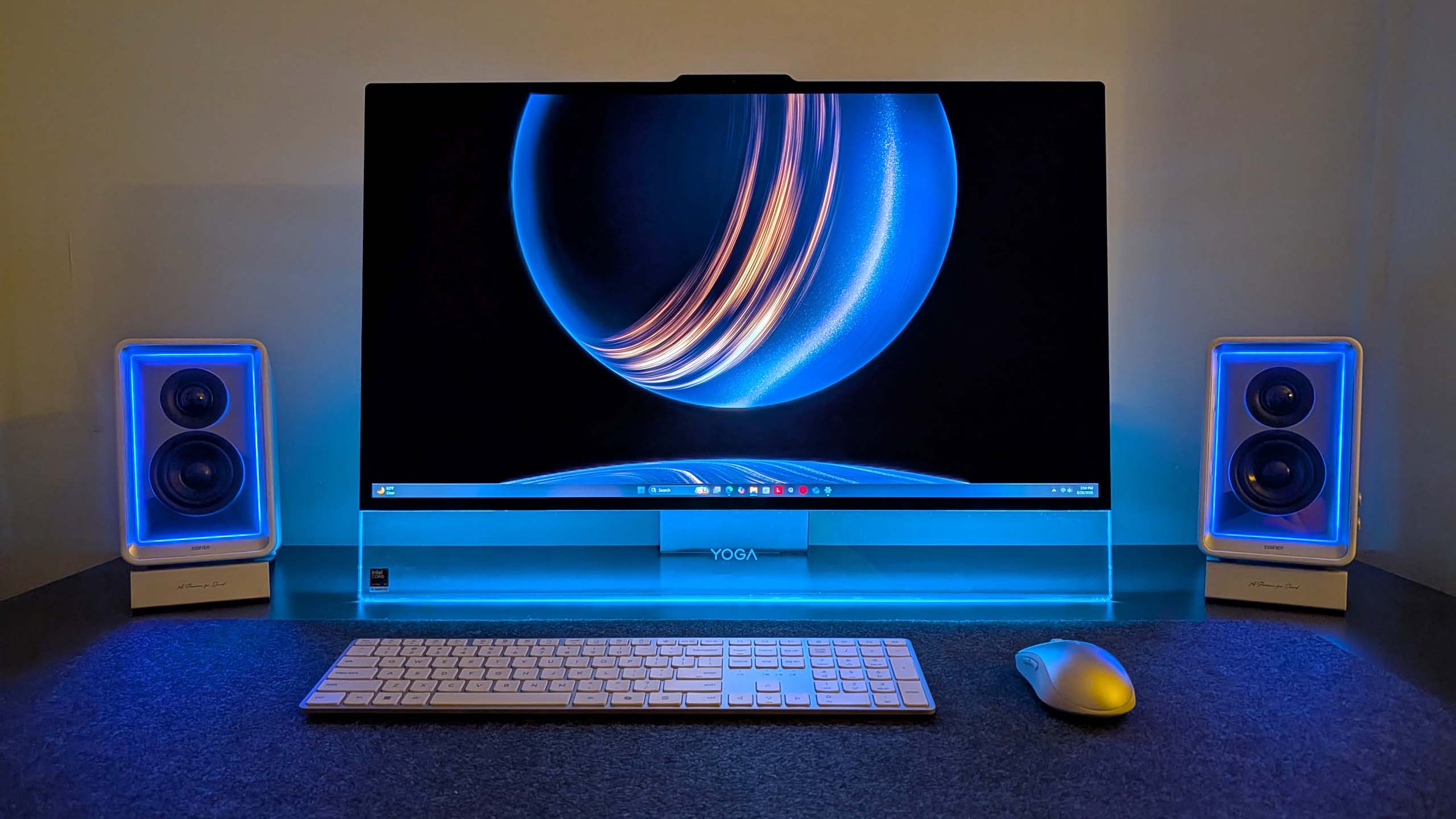
In a word, the Lenovo Yoga i AiO 32 Aura Edition is sexy. It’s probably the best-looking desktop computer you can buy right now, and that’s thanks to its absolutely insane design that places the entire computer in the stand that holds the screen up, allowing the display to take all your attention.
From a normal sitting position, you can’t even see the stand. Unlike traditional stands that have a base that sits on the desk, the AiO’s stand is more like a kickstand, with the weight of the display leaning against the stand, and the bottom of both the stand and the display chin making contact with the desk to form an upside-down V shape.
This is unique on its own, but when paired with the awesome-looking transparent display chin, the result is an all-encompassing 4K OLED display that looks like it floats. It’s honestly super mesmerizing, and with the built-in RGB lighting enabled that shines through the transparent chin, the whole thing just looks amazing.
That RGB lighting can be controlled via Lenovo’s included Vantage app, or by Windows itself using Microsoft’s new Dynamic Lighting feature. This is the first time I’ve been able to use Windows 11’s native RGB controls, and they’re quick and awesome. You have a number of settings, including gradients that let you choose two colors to alternate between, and it’s overall very easy to set up.
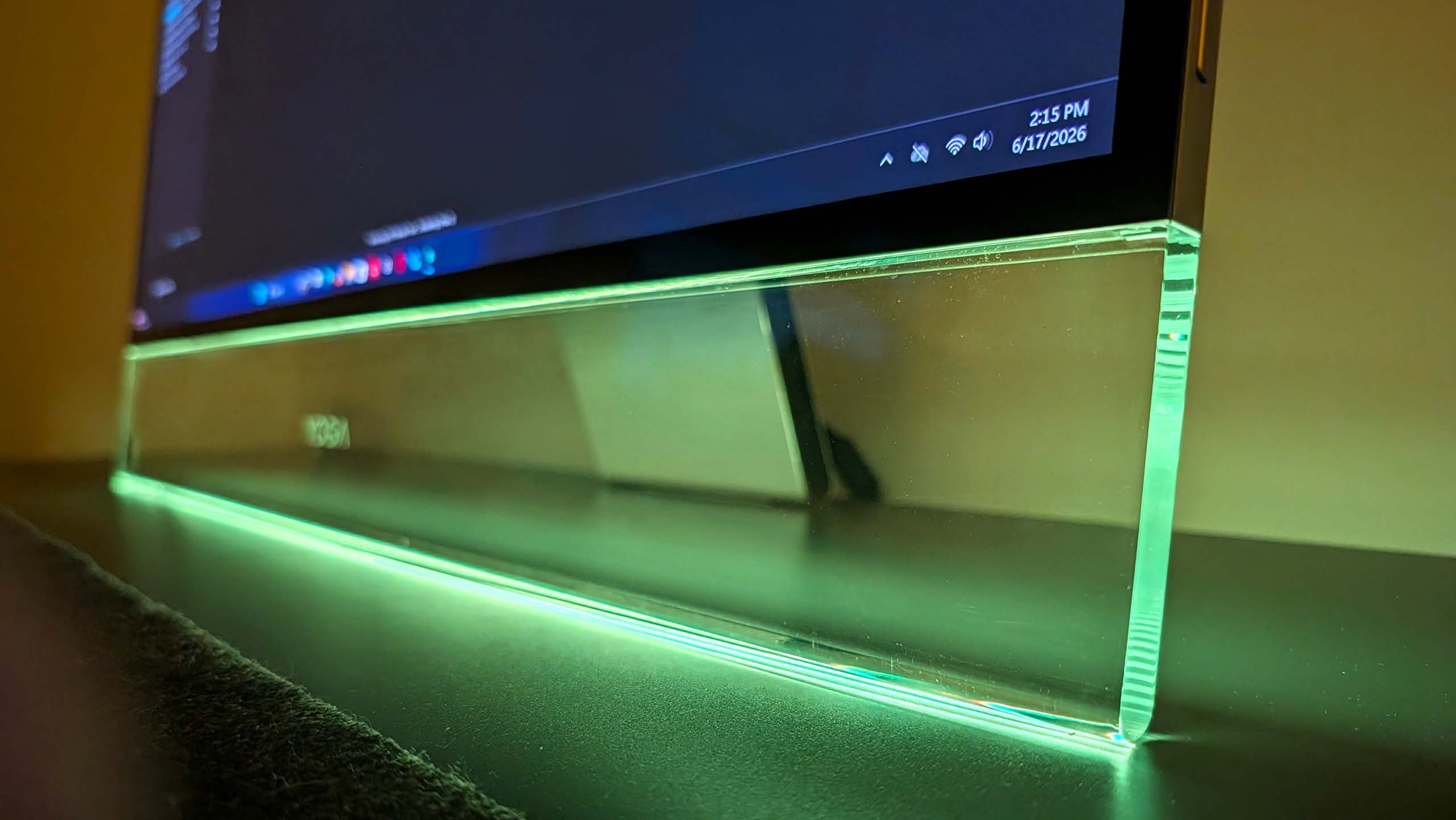
It’s an incredibly eye-catching design that will turn heads whenever someone who has never seen it before comes across it. While the light-up chin is the first thing they’ll notice, the second thing they’ll be blown away by is the sheer quality of the 4K OLED display that sits on top of it.
This 32-inch 4K OLED panel is amazing. It’s a true 10-bit panel at 165Hz, making Windows animations and scrolling look super smooth and games feel incredible to play. This is undoubtedly the best display you can find on an all-in-one PC right now, blowing the iMac and the last-gen Lenovo 32-inch AiO out of the water.
This is undoubtedly the best display you can find on an all-in-one PC right now, blowing the iMac and the last-gen Lenovo 32-inch AiO out of the water.
Colors simply pop on this screen. It’s also incredibly color accurate, with a 99% DCI‑P3 and 100% sRGB rating making it great for video editors and photo artists. It’s plenty bright, with up to 1,000 nits peak brightness in HDR content too. The display is surrounded by thin uniform bezels, with a metal frame that’s cold to the touch and feels incredibly premium.
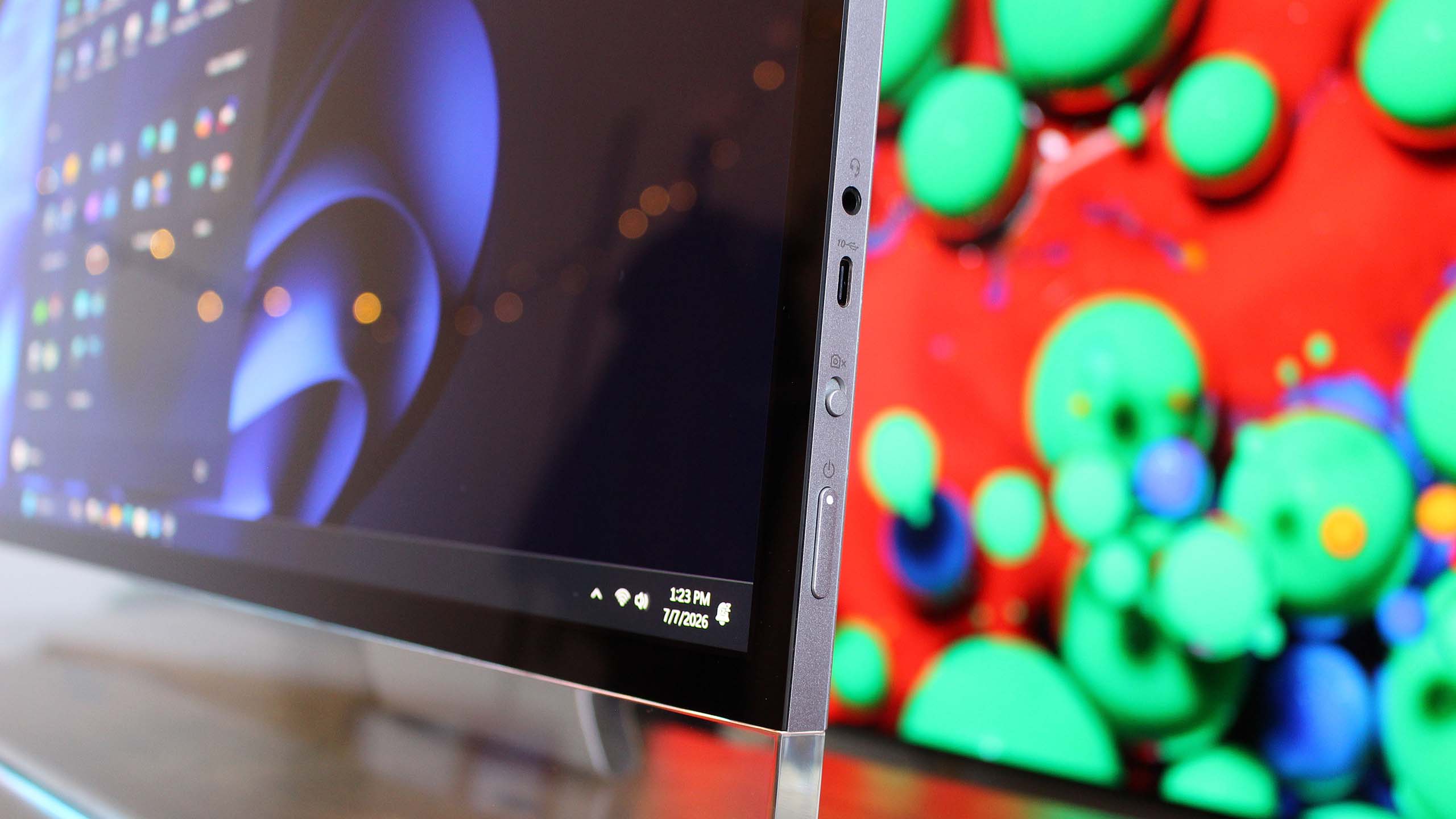
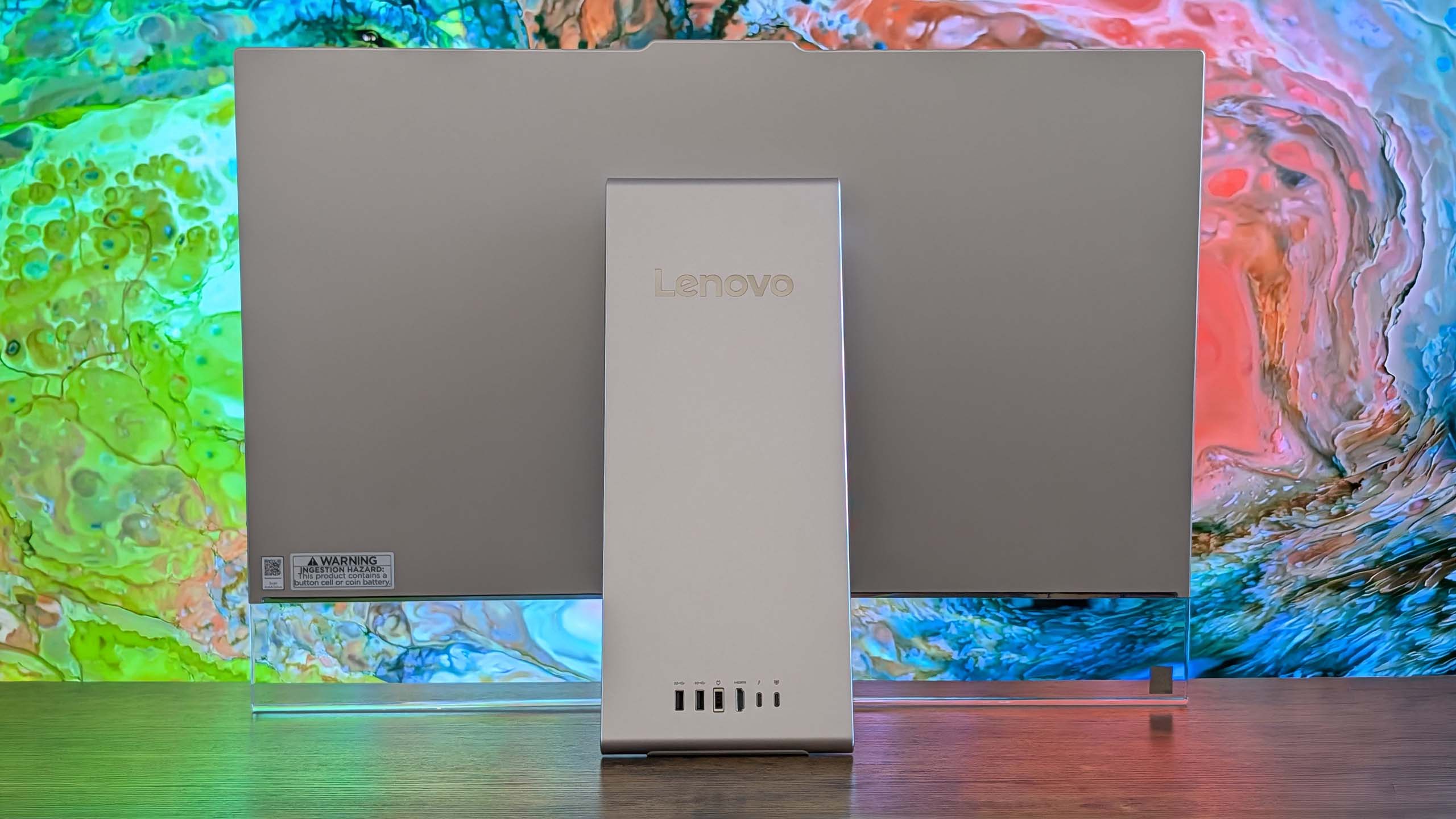
On the right side of the display is a USB-C port, which makes plugging in flash drives and other peripherals super easy and convenient. There’s also a 3.5mm audio jack on this same display edge, which is nice for plugging in headphones. The rest of the ports are located on the stand, most of which are at the very back.
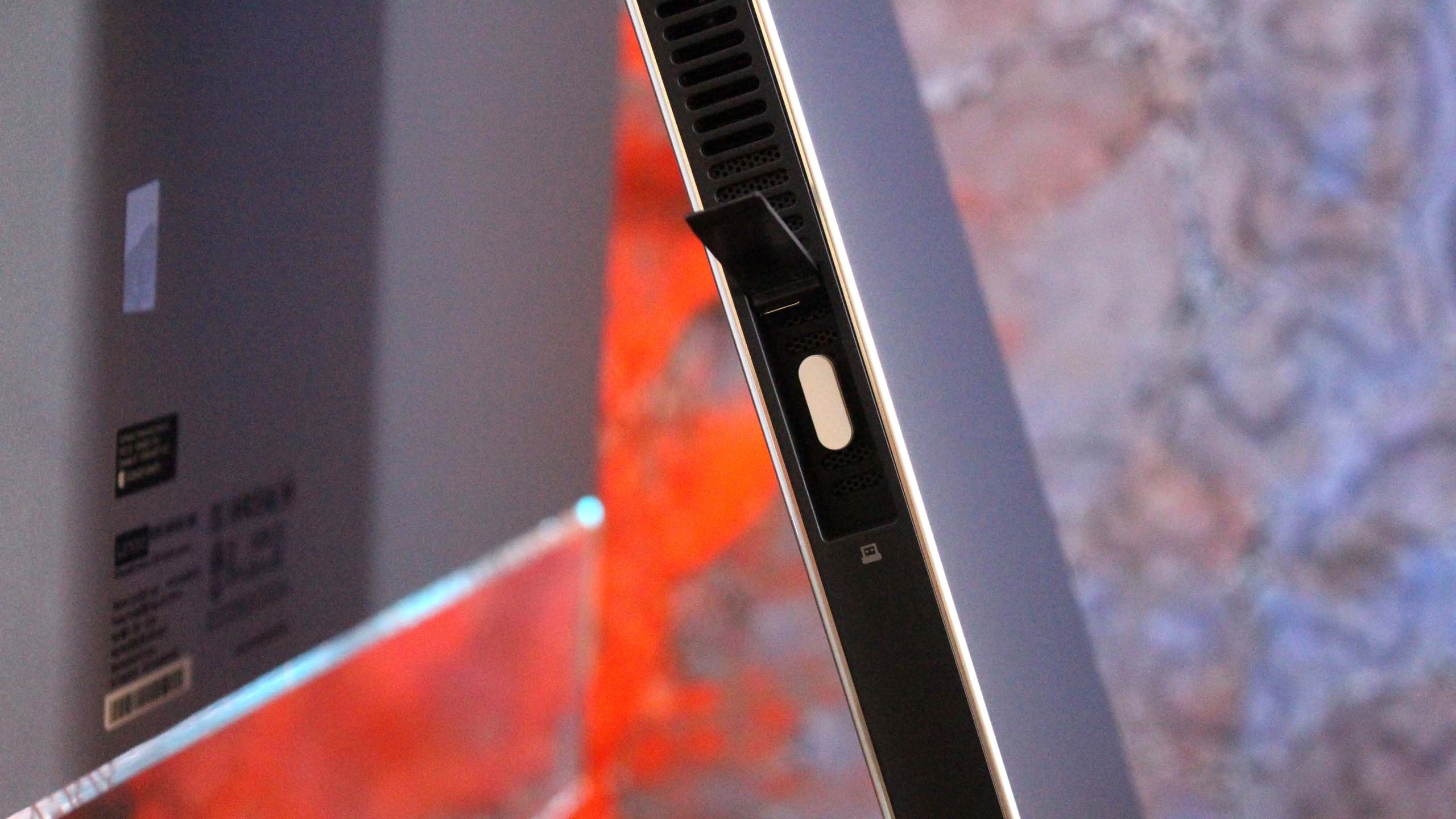
On the stand, you’ll find a single USB-A port on the side of the stand, which is designed for a wireless keyboard and mouse dongle (but you can plug anything into it) behind a door. On the back, there are two USB-C ports, two USB-A ports, an HDMI port, and that’s it. I do wish there was maybe an additional USB-A and USB-C port, and an Ethernet jack wouldn’t have gone amiss either.
Along the top of the display is a 16MP webcam that looks great and is a significant upgrade over the last gen Lenovo AiO. It’s much clearer, and Windows Hello face unlock works a little faster as a result. There’s a webcam kill switch on the right side of the display that’s easy to reach for when you don’t want anyone looking at you.
The AiO comes with a nice keyboard and mouse as well. These are automatically paired with the PC when you unbox, as the wireless dongle comes plugged in from the factory. The keyboard is hefty but premium-feeling, featuring a chiclet-style typing experience that’s quiet yet satisfying.
Yoga AiO i 32 Aura Edition: What I don’t like
Unfortunately, there are some things about the Lenovo Yoga AiO 32 Aura Edition that aren’t my favorite. While this device is overall amazing and I would recommend it to pretty much anyone, that does come with a few caveats.
First of all, the design of this computer does have a few trade-offs. Firstly, the space required to set up the computer optimally on your desk is a significantly larger area than your usual AiO that sits on a normal stand with a base. The upside-down V-shape nature means that to angle the screen comfortably, you need to widen the gap between the two points of contact on the desk.
This isn’t going to be an issue if you have a large desk, but for those on smaller desks, you might find the display ends up being slightly too close to you, or the stand ends up uncomfortably close to the edge of the desk. The underside of the stand is covered in a grippy texture, so it won’t slide anywhere, but it’s still a little unnerving.
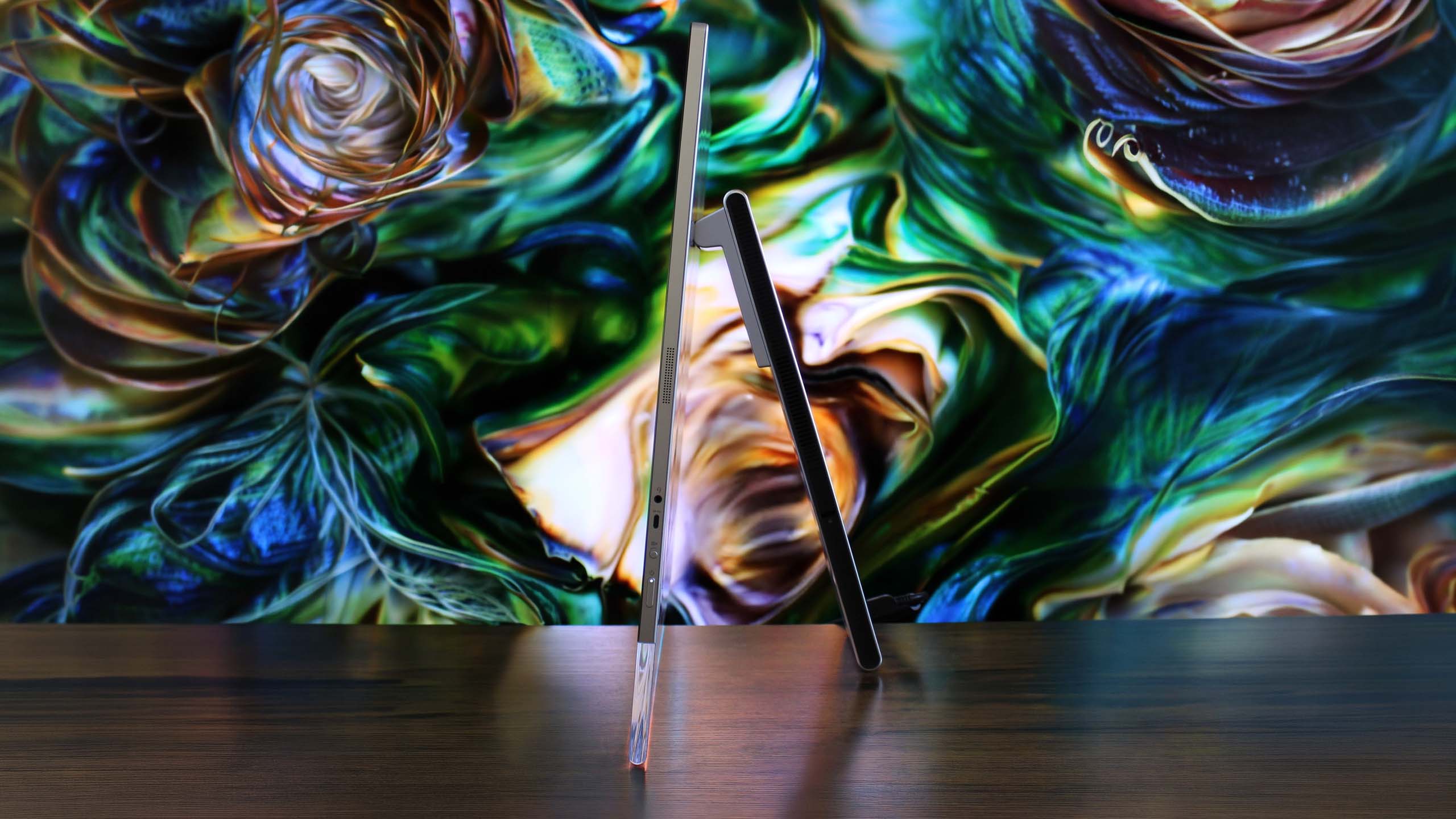
You also lose usable desk space with this design. Sure, you can put things behind the display between it and the stand if you wanted, but that would mean you’ll need to reach around the display whenever you need access to whatever it is you’ve put behind it. Plus, the transparent chin means you can see all the mess behind there at all times.
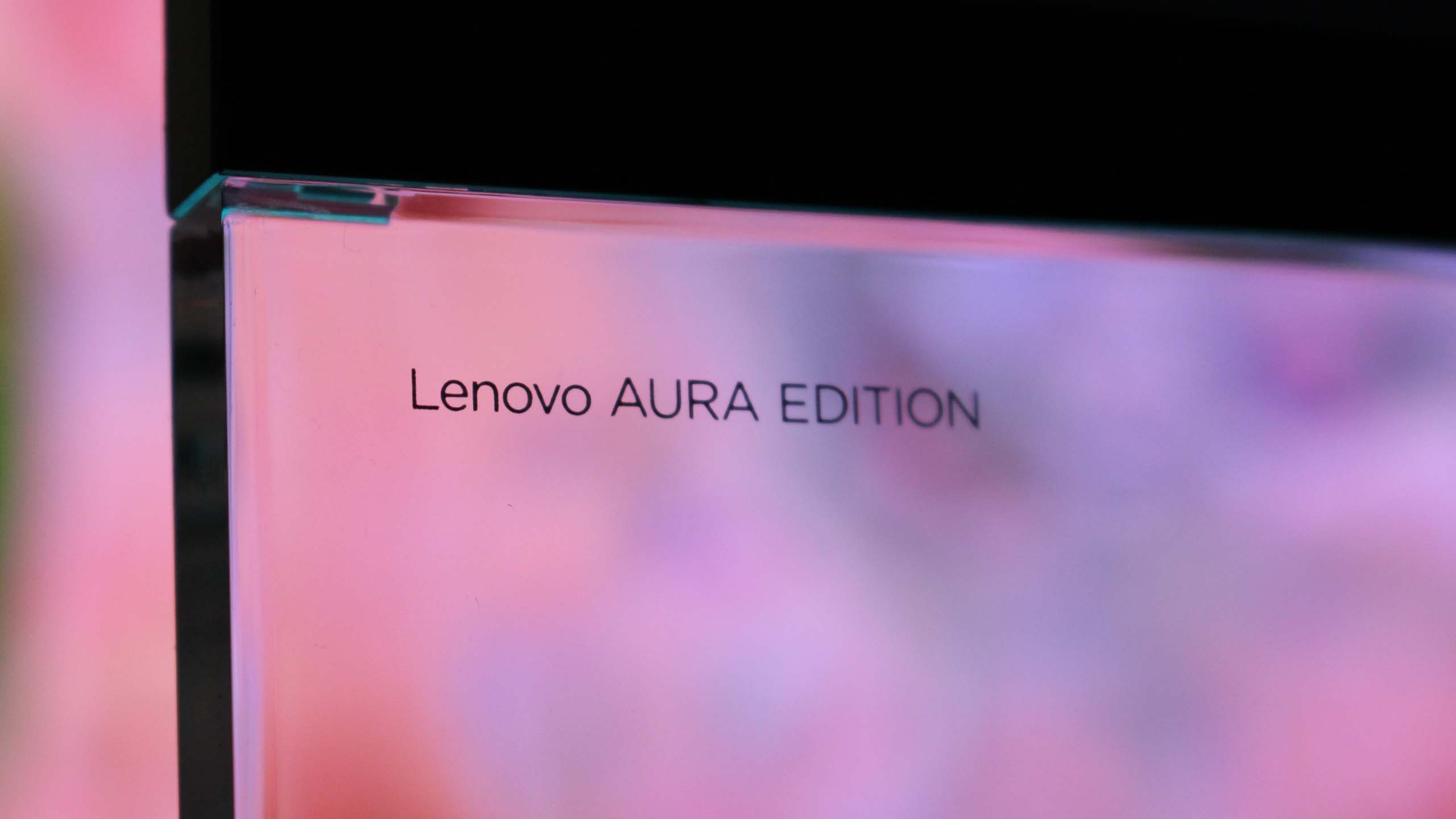
On the subject of that transparent chin. I love it, I really do, but my goodness, is it a dust and fingerprint magnet. Be prepared to be cleaning it on the daily. I don’t know how fingerprints even end up there, as I’m never actively touching the chin, but somehow I’m always cleaning them off.
On this new model, you have no choice but to get up, lean around the display, and fondle your way into plugging your peripheral in. It’s quite annoying.
This design also results in the position of the ports being really difficult to reach. While there is a single USB-C port on the side of the display, which is super easy to access and great to have, all the other ports are on the stand, most of which are at the back on the very bottom. This makes them basically impossible to reach when sitting in front of the display.
I complained about the position of the ports on the last-gen AiO from Lenovo, but at least on that device you could reach through the display stand to get to the ports from a sitting position. On this new model, you have no choice but to get up, lean around the display, and fondle your way into plugging your peripheral in. It’s quite annoying.

I’d also argue that for a device being targeted at creators, it’s quite lacking in the port section. There are just two USB-C and three USB-A ports on the whole device, four of which are on the back. Plus, there’s no Ethernet jack for wired internet, and no SD card reader of any kind. I do wish that it had an SD card reader at the very least.
The last thing I don’t like about the AiO is the built-in speaker system. In my testing, I can’t help but think there’s something wrong with them. Whenever the audio channel is open, an audible hissing/whooshing noise is present. This noise is present regardless of the audio being played, but is more noticeable when the volume is on medium or low settings. It’s even audible when the device is muted and an audio track is playing, and it goes away entirely when the audio channel is closed.
It’s so noticeable that I reached out to Lenovo to request a new review unit, thinking mine was defective, only to find the second sample has the same problem. So, I don’t know if this is a hardware defect or something that can be fixed via firmware updates. I couldn’t tell you what’s causing the noise, but it is there.
If you’ve ordered one of these AiOs, let me know if this issue is present on your unit, or if I just somehow received two defective models back to back. This problem is easily solved by using an external set of speakers, which is what I do, completely bypassing the built-in speaker system. Still, it’s not something you should have to put up with when paying this amount of money for a device, so if yours has this issue and you’re unhappy, be sure to return it.
Yoga AiO i 32 Aura Edition: Performance
This AiO is one that strikes a perfect balance between performance and quiet operation. This thing is whisper-quiet for 99% of the time you’ll be using it, with the fans only spinning up under heavy sustained load for long periods. Even when on full blast, the fans aren’t offensively loud.
Powered by the Intel Core Ultra X7 358H (Core Ultra Series 3) and Intel Arc B390 GPU, this AiO is well equipped to handle your usual day-to-day tasks, as well as high-intensity tasks such as video and photo editing, rendering, and 3D modeling. It’s even a competent gaming machine, though I wouldn’t buy one for dedicated gaming.
This thing is whisper-quiet for 99% of the time you’ll be using it, with the fans only spinning up under heavy sustained load for long periods.
The Intel Core Ultra X7 358H CPU is where this machine truly shines, flexing massive numbers in multi-threaded tasks thanks to its advanced architectural efficiency. With a Geekbench single-core score of 2,851 and a multicore score of 16,964, it breezily handles heavy multitasking, AI workloads, and complex data processing.
In everyday productivity, it achieved a CrossMark score of 2,128, which means it has snappy execution across office applications. For rendering workloads, the Cinebench benchmarks reveal a single-core score of 501 and a robust multicore score of 4,927. The device has minimal thermal throttling, and as mentioned above, rarely gets loud.

The inclusion of the Intel Arc B390 GPU elevates this machine beyond your usual standard integrated graphics. It’s a highly efficient, modern graphics solution that I’d describe as more than good enough for light to moderate gaming, intensive content creation, and smooth video editing. Here are our 3DMark benchmark results:
|
Benchmark |
Score |
Performance Context |
|---|---|---|
|
Night Raid |
48,631 |
Excellent for esports and casual titles |
|
Time Spy |
7,793 |
Solid DX12 performance for 1440p gaming |
|
Time Spy Extreme |
3,630 |
Handles moderate 4K workloads |
|
Steel Nomad Light |
5,633 |
Great lightweight cross-platform performance |
|
Steel Nomad |
1,100 |
Pushes the integrated graphics to its limit |
It’s clear that the Intel B390 isn’t going to be great at running the latest games at their highest settings at 4K 120Hz, but bumping things down to medium-high graphics settings and 1080p or 1440p will result in a perfectly fine gaming experience, which should be more than enough for those who are only gaming casually on their PCs.
Games like Halo: The Master Chief Collection or Hitman run great on the AiO. Cyberpunk 2077 also runs really well when set to 1440p high settings. Older games like GTA V run at high frame rates with all their settings maxed out, even at 4K. So it really will come down to the kind of games you play and how graphically intensive they are.
The Intel B390 is a step above your typical integrated graphics, but it’s no dedicated GPU from NVIDIA or AMD. So expectations should be tempered if you’re looking to game. Most modern games should run more than fine if you set their graphics settings to medium 1080p. It’s fair to say the Intel B390 is better served for content creators, being an excellent GPU for rendering video, 3D models, and more.
The Intel B390 is a step above your typical integrated graphics, but it’s no dedicated GPU from NVIDIA or AMD.
I do wish Lenovo offered the PC with the option of being configured with a dedicated GPU, as the B390 on its own might be disappointing for some, especially at these prices.
The last-gen flagship Lenovo Yoga AiO featured an NVIDIA RTX 4050, which provides roughly the same level of performance as the Intel B390, but I’ve found that some games run slightly better with smoother frame rates on the older NVIDIA card. So we’re not seeing any real performance upgrades across generations, outside of the fact that the Intel B390 is a more efficient GPU overall.
For storage speeds, the CrystalDiskMark results are top-tier, clocking in at an impressive 7,008.27 MB/s read and 5,807.32 MB/s write speeds. This should mean boot times, app loading, and file transfers stay nice and fast.
Conclusion
You should buy this PC if…
✅ You want a beautiful Windows all-in-one
✅ You want one of the best OLED displays on a Windows PC
✅ You’re a creator who focuses on video and photo editing
You should not buy this PC if…
❌ You have a small desk
❌ You frequently need to plug in and unplug peripherals
❌ You rely heavily on built-in speakers
❌ You’re a hardcore gamer who wants to game
Overall, I believe the Lenovo Yoga i AiO 32 Aura Edition is an almost perfect all-in-one. It’s definitely at the top of the list when it comes to an aesthetic design point, but those design choices aren’t without their own minor annoyances. For me, I’m happy to sacrifice easy port access in exchange for sheer beauty.
With that said, there’s clearly a problem with the built-in audio setup on two of the units I tested. Once again, I’m hoping that this issue is software-related and can be fixed via a firmware update. Some may not even notice the hissing noise, but it’s very audible and distracting for me.
The lack of a dedicated GPU option may also upset some people, especially those that are wanting to game. While the Intel Arc B390 is good, it’s by no means great, especially for the over $3,000 you’ll be paying for this PC new.
Those issues aside, I have to say that this AiO is the first one I’ve used since the Surface Studio that has blown me away. It’s just jaw-droppingly good to look at, and it’s something I’m proud to have sitting on my desk. There’s nothing boring or corporate about it; it’s simply mesmerizing.
The design, paired with the glorious 4K 165Hz OLED panel and great performance under the hood, results in an incredible experience at a high cost, which unfortunately can’t be helped given the ongoing component pricing crisis. If Lenovo is able to get the speaker issue sorted, this device is a clear winner in my book.
Lenovo’s new Yoga AiO i 32 Aura Edition is a sight to behold, complete with a unique design that features a transparent display chin with RGB lighting, the best 4K OLED I’ve ever seen fitted to an AiO, and incredible performance.

Join us on Reddit at r/WindowsCentral to share your insights and discuss our latest news, reviews, and more.