
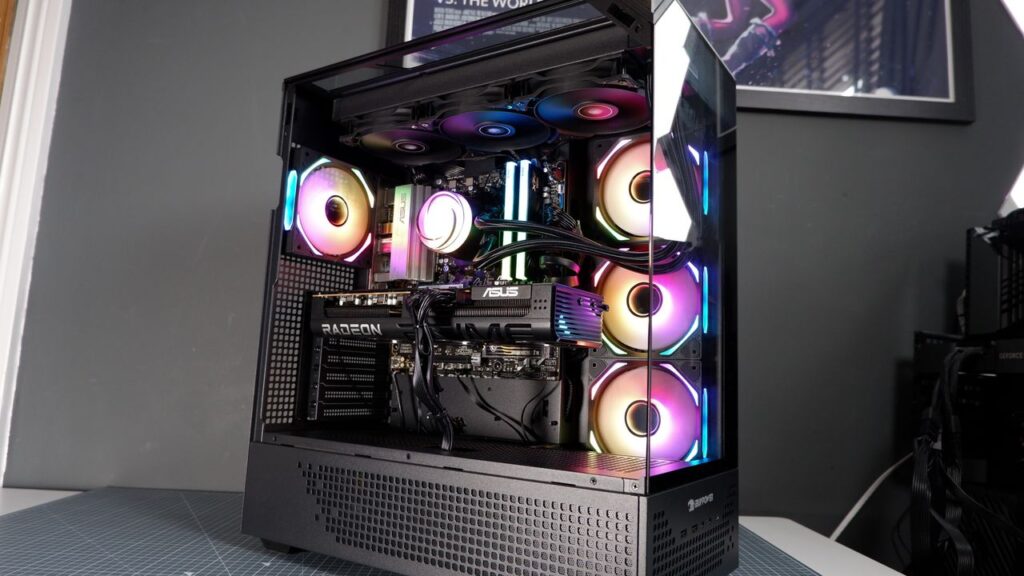

It’s not the cheapest time to be getting into PC gaming. Prices are going up. The iBuyPower RDY Element 9 Pro R07 in front of me for review isn’t immune, either. The system, priced at $1,699 in September, is currently sat at $2,149. That’s a tricky thing to navigate when determining value here, as nothing is as good value as it was five months ago, but I have generally little bad to say about the Element Pro. It’s solid.
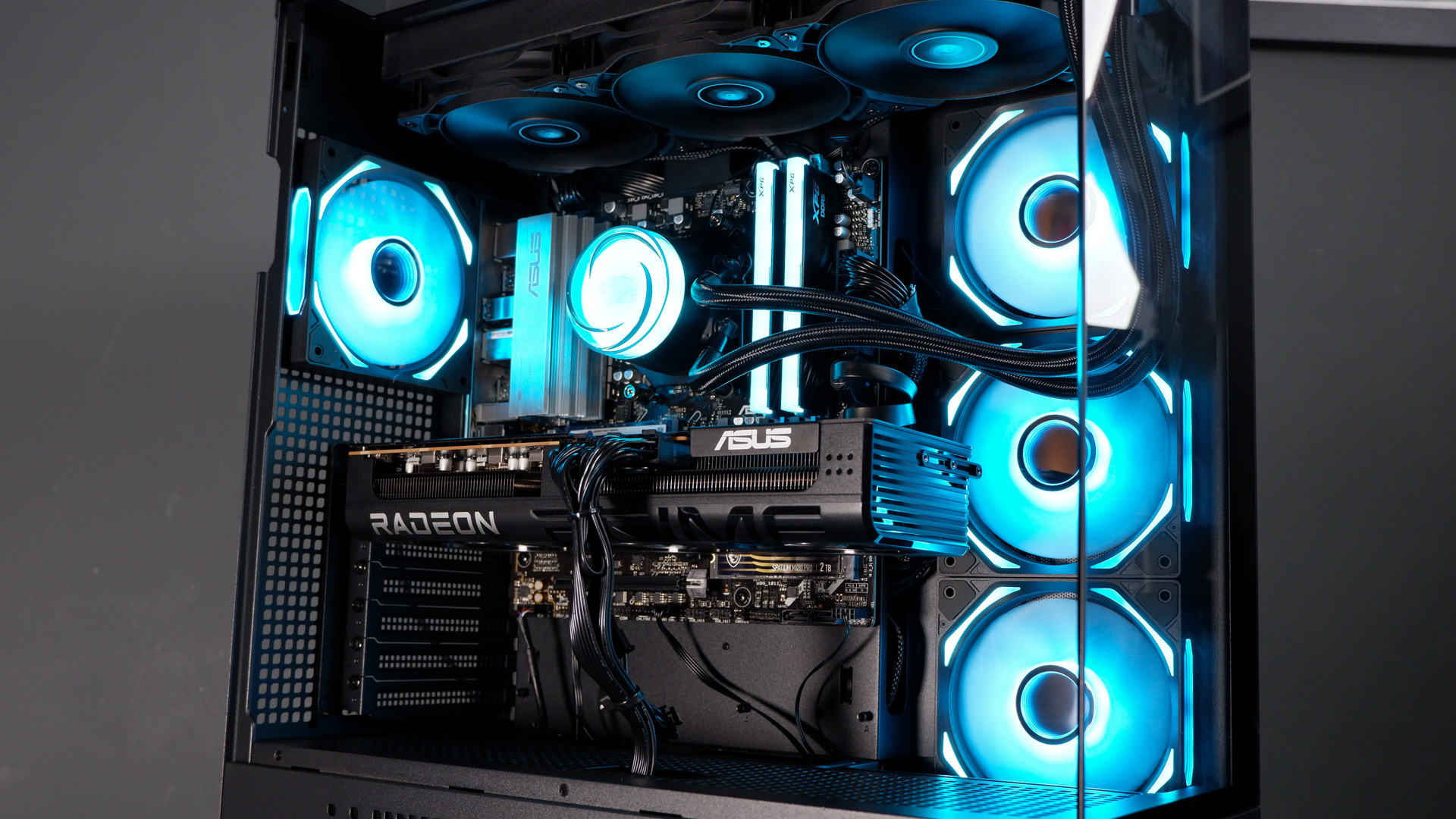
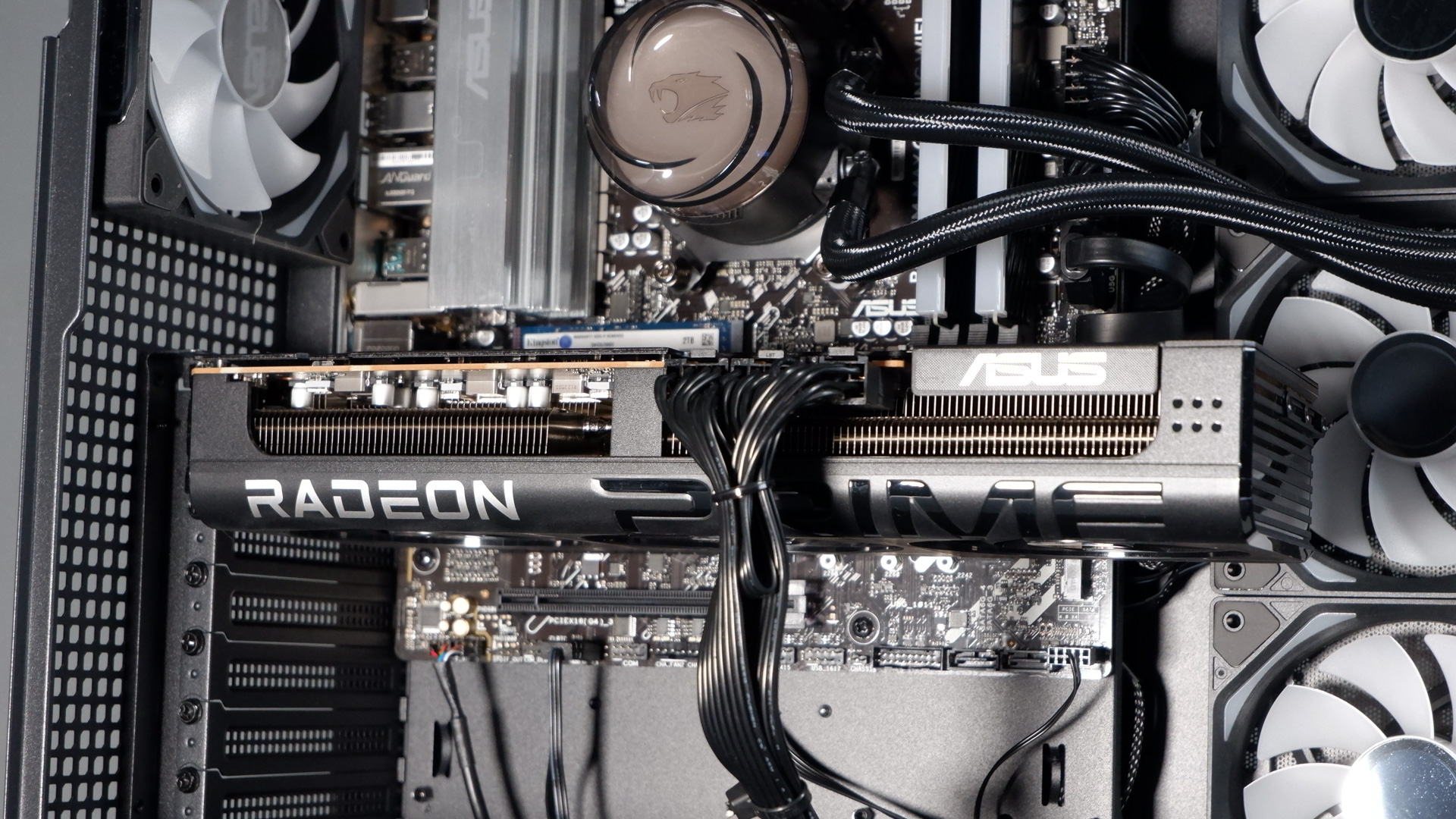
Starting with its choice of components, it comes with an Asus Prime RX 9070 XT 16 GB, which isn’t far off the choice of graphics card I’d choose for a PC build of my own right now. It’s capable at 4K and has 16 GB of VRAM. That alone is sure to make some gamers swoon. Though you don’t get to switch on DLSS, FSR is a decent alternative. And the Prime card, including a triple-fan shroud, is pretty cool and quiet—reaching a mere 61 °C in my testing in Metro Exodus: Enhanced Edition.
The CPU is the tremendous Ryzen 7 7800X3D, which was once upon a time the best CPU for gaming. That title has swapped hands to the one-generation newer Ryzen 7 9800X3D now, though the 7800X3D isn’t hugely far behind. Thanks in part to both chips using 3D V-Cache. It’s an eight-core, 16-thread chip that has enough muster to make light work of most everyday productivity and video editing. What’s important, however, is that it can tear through the latest games with ease. It’s no slouch.
We’re in a dire state with memory, in large part thanks to demand for AI. Thankfully, this PC does circumvent the need to think much more on that, including 32 GB of DDR5-6000. It’s decent-looking stuff in here, two sticks of XPG Lancer Blade RGB (AX5U6000C48), but it’s a fairly high latency kit. It’s running at CL48. Before the great mempocalypse, that would’ve been seen as relatively sluggish. Now, I suppose, it’s realistic—thanks, AI.
CPU: AMD Ryzen 7 7800X3D
GPU: Asus Prime RX 9070 XT 16 GB
RAM: 32 GB DDR5-6000 Z XPG Lancer Blade RGB (AX5U6000C48)
PSU: High Power HP1-S2850GD-F12S 80 Plus Gold
SSD: 2 TB Kingston NV3 PCIe 4.0
Motherboard: Asus B650EM Max Gaming
Case: iBuyPower Element 9 Pro
Cooler: iBuyPower AW4 360 mm all-in-one liquid cooler
Fans: iBuyPower Gen 9 Deluxe Reverse
Price: $2,149
All of which is loaded into a fairly low-key and pretty basic motherboard: the Asus B650EM Max Gaming. Despite having ‘Max’ in the name, it’s not totally loaded up with ports, slots and features. It has more USB 2.0 ports than USB 3.0 ports (5 vs 4) and only one of the latter is USB Type-C. Though that it has any Type-C is probably to be commended. There are also three (yes three!) M.2 slots on this motherboard: two on the front and one on the back. The top slot is rated to PCIe 5.0 bandwidth, which is great, though there’s no heatsink included and likely requiring one at a later date, depending on the drive.
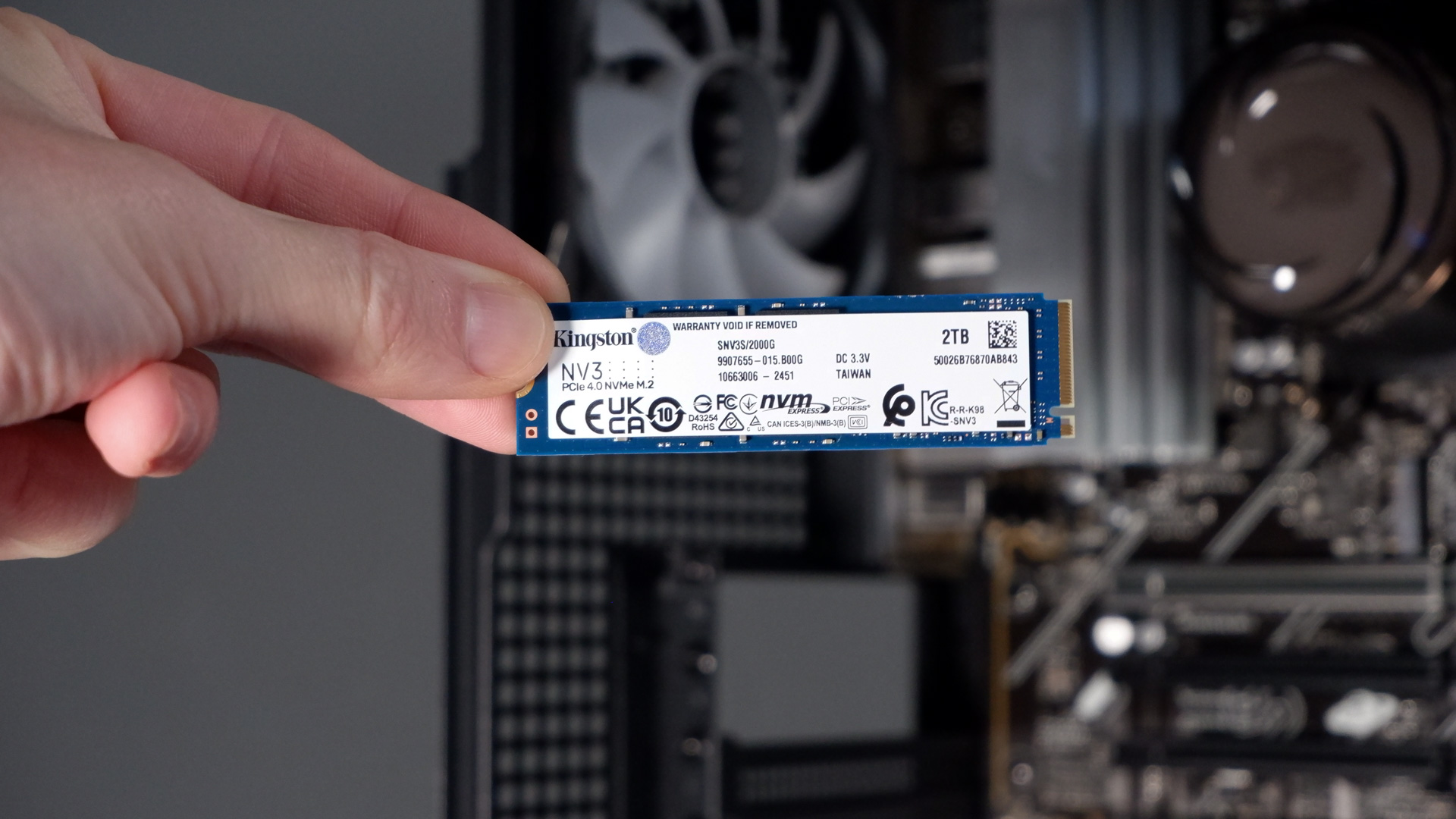
For now, only one of these is occupied. The top slot contains a 2 TB Kingston NV3 drive running at a modest speed of 6,000 MB/s seq. read and 5,000 MB/s seq. write over a PCIe 4.0 connection. That’s a bit slower than some of the best SSDs for gaming. However, in today’s economy, that’s not a bad get for capacity. SSDs haven’t been hit as hard as memory but they’re not in a great spot, either.
One thing I like to check with any prebuilt PC is the power supply. Say that 10 times quickly. The one used here is the High Power HP1-S2850GD-F12S 80 Plus Gold. That’s a familiar make and model as I saw something similar in the last iBuyPower PC I reviewed, the RDY Y40 Valorant, and I’m in the same mindset as I was then. It’s not a very well known brand, but it is an OEM to some more well-known brands, such as Fractal. While it was for a different HP1 model, our pal Aris over at Cybenetics was happy to hand out certification from his lab’s testing.
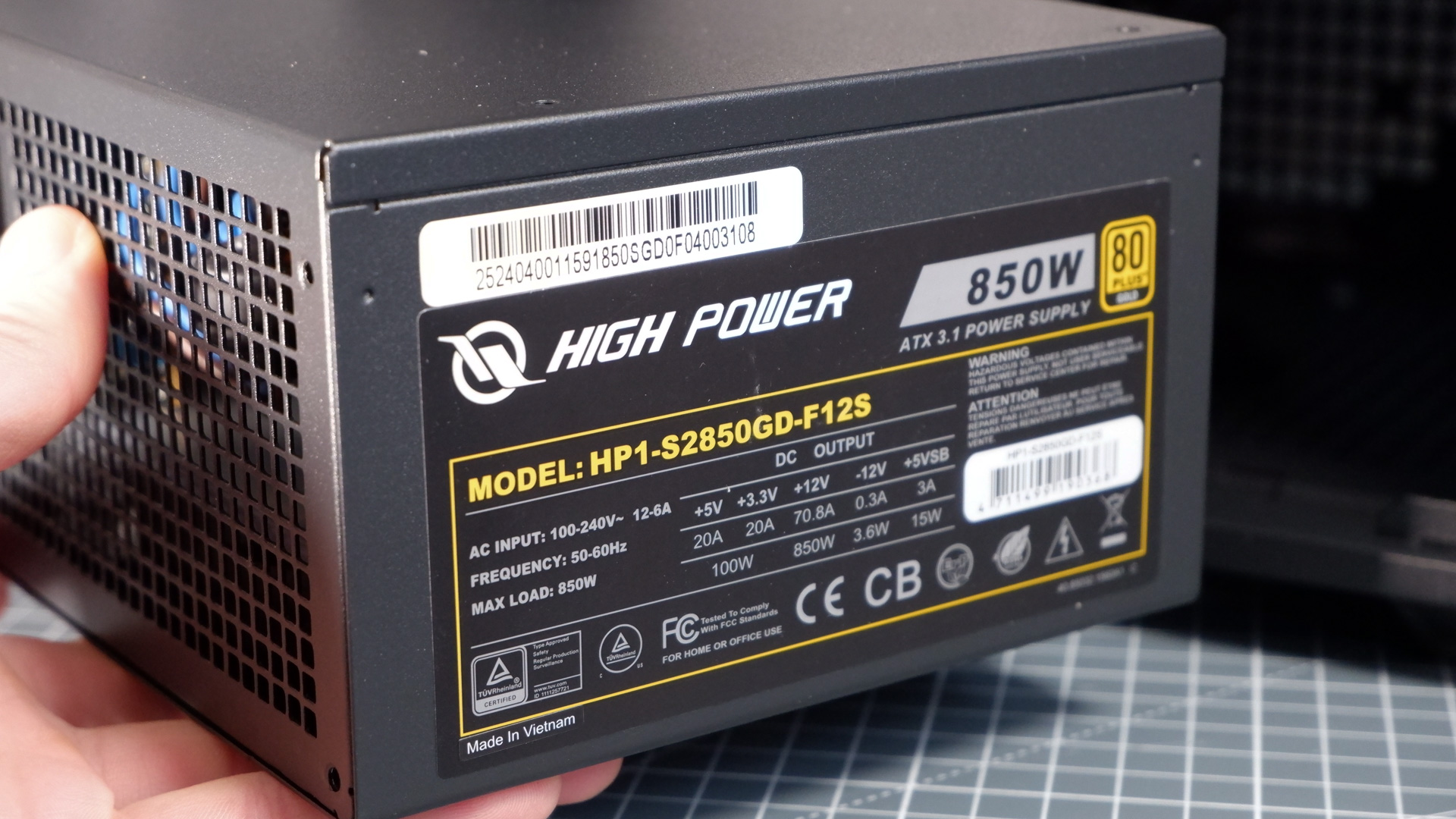
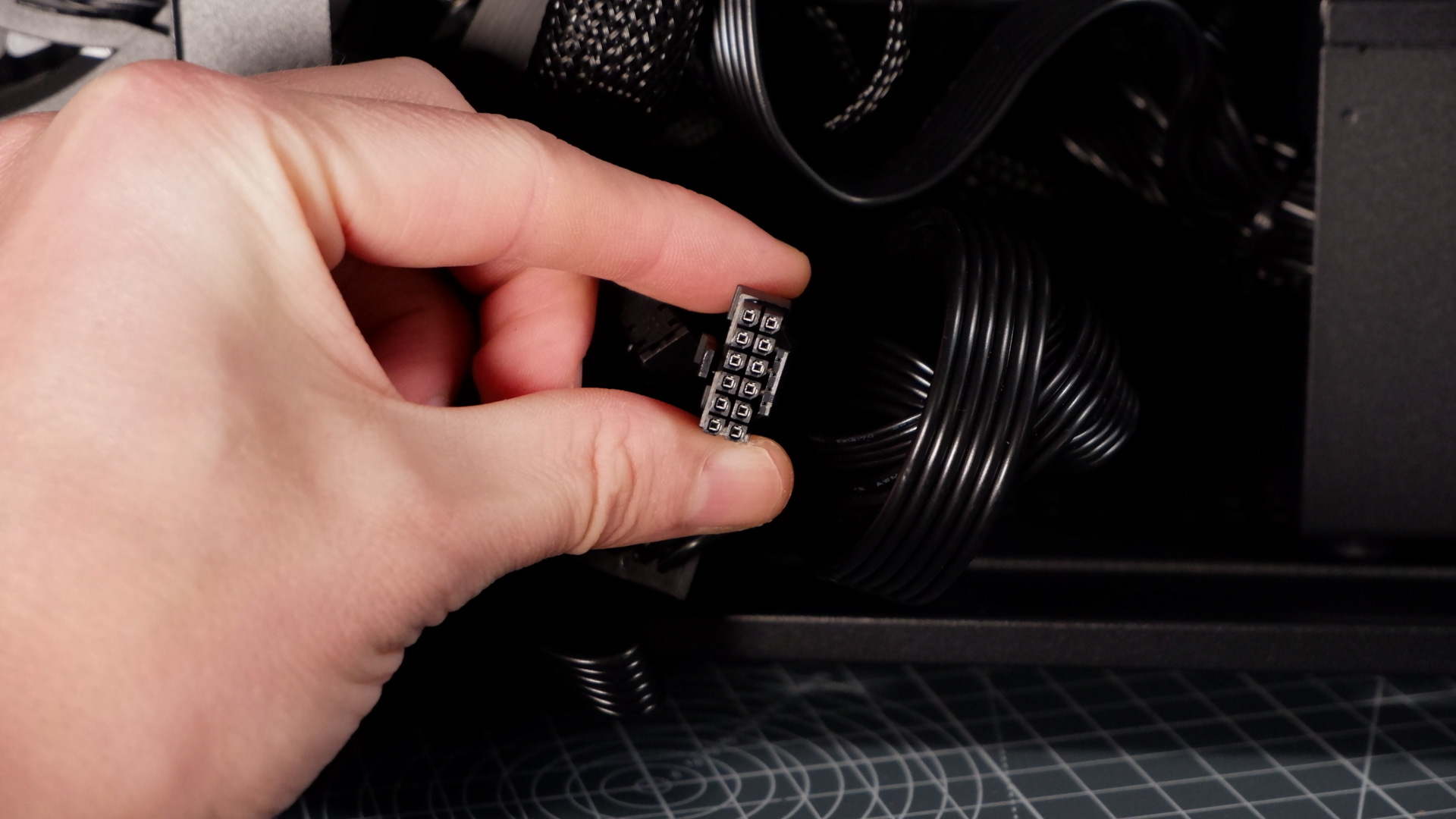
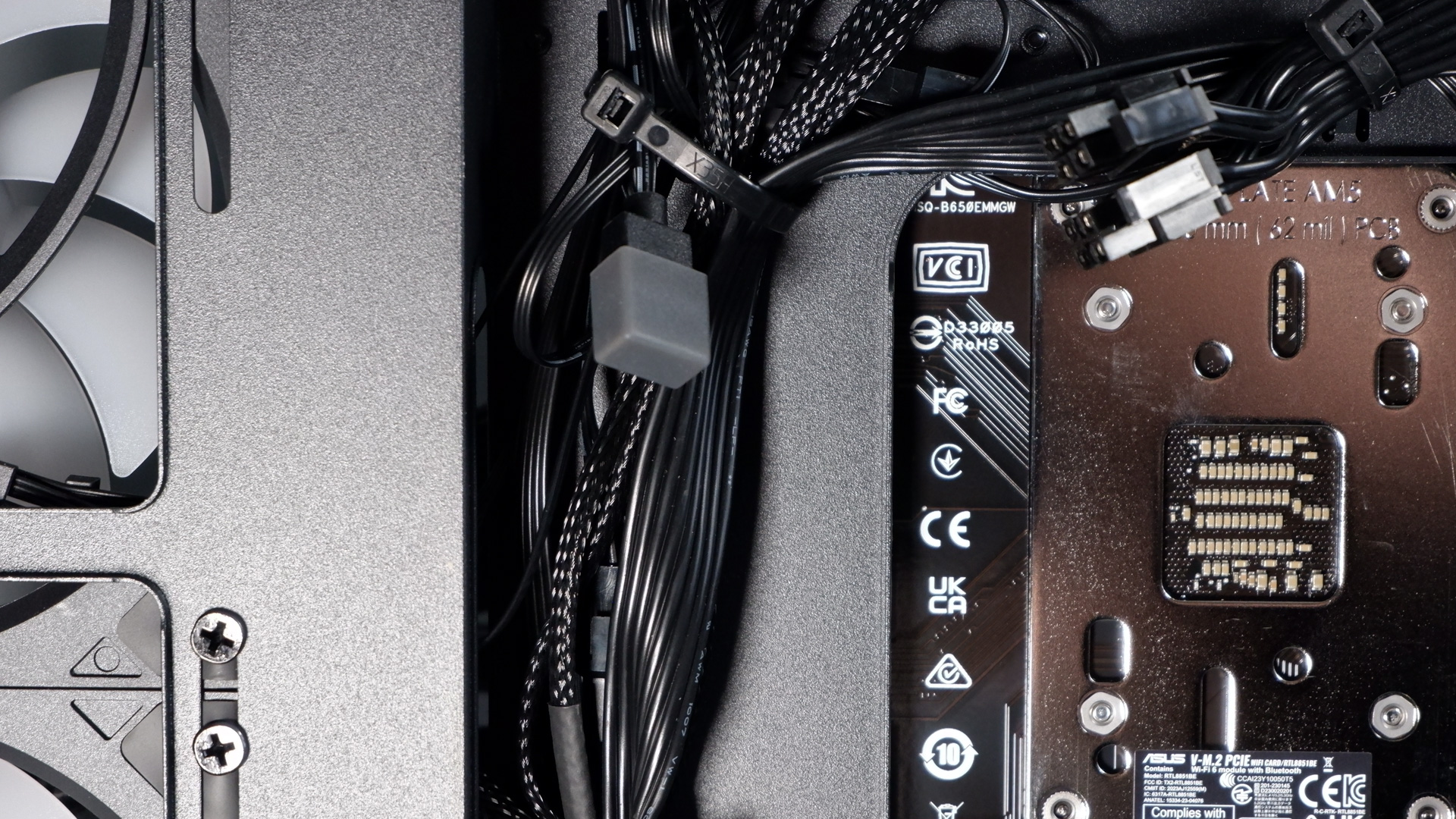
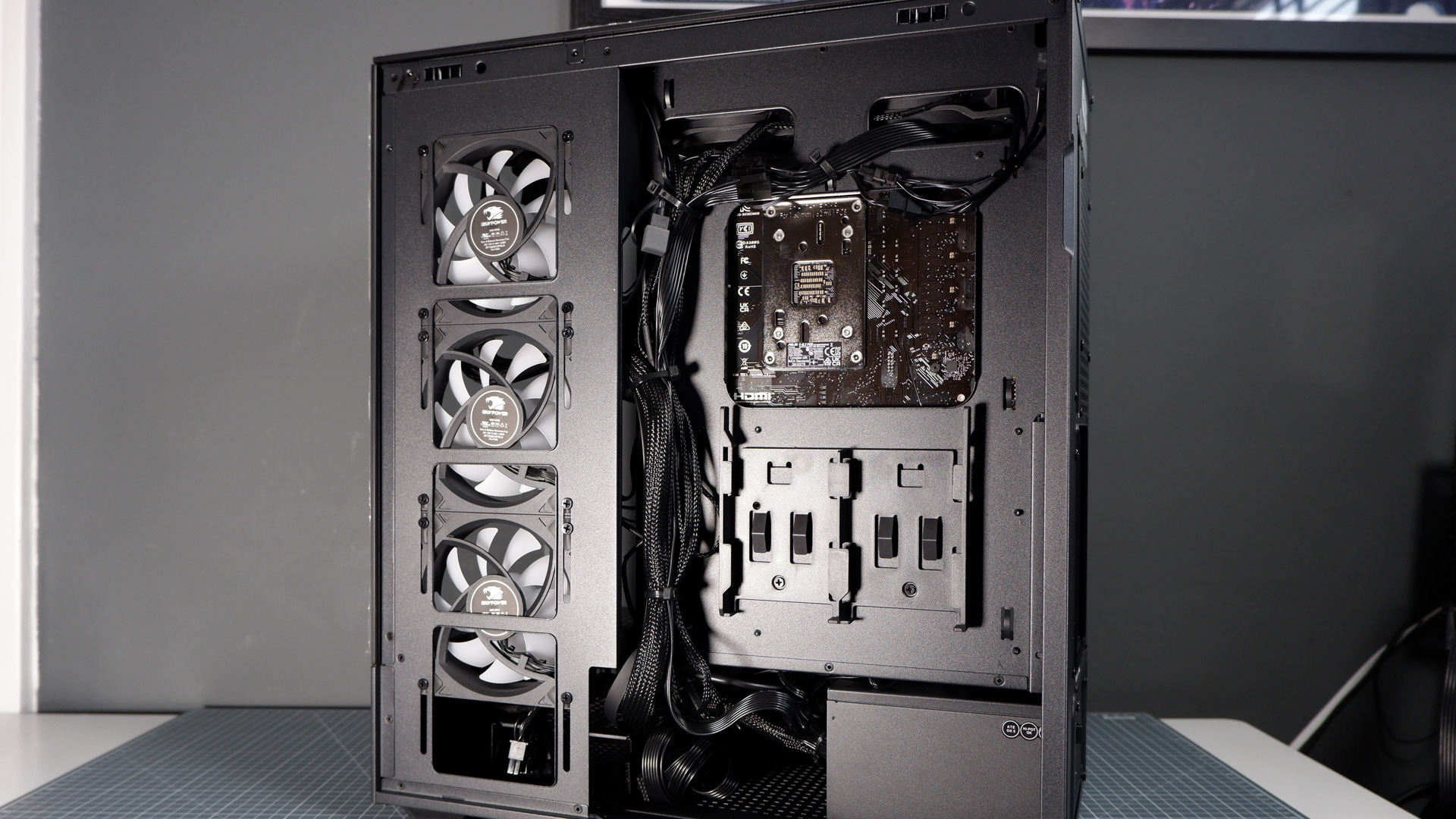
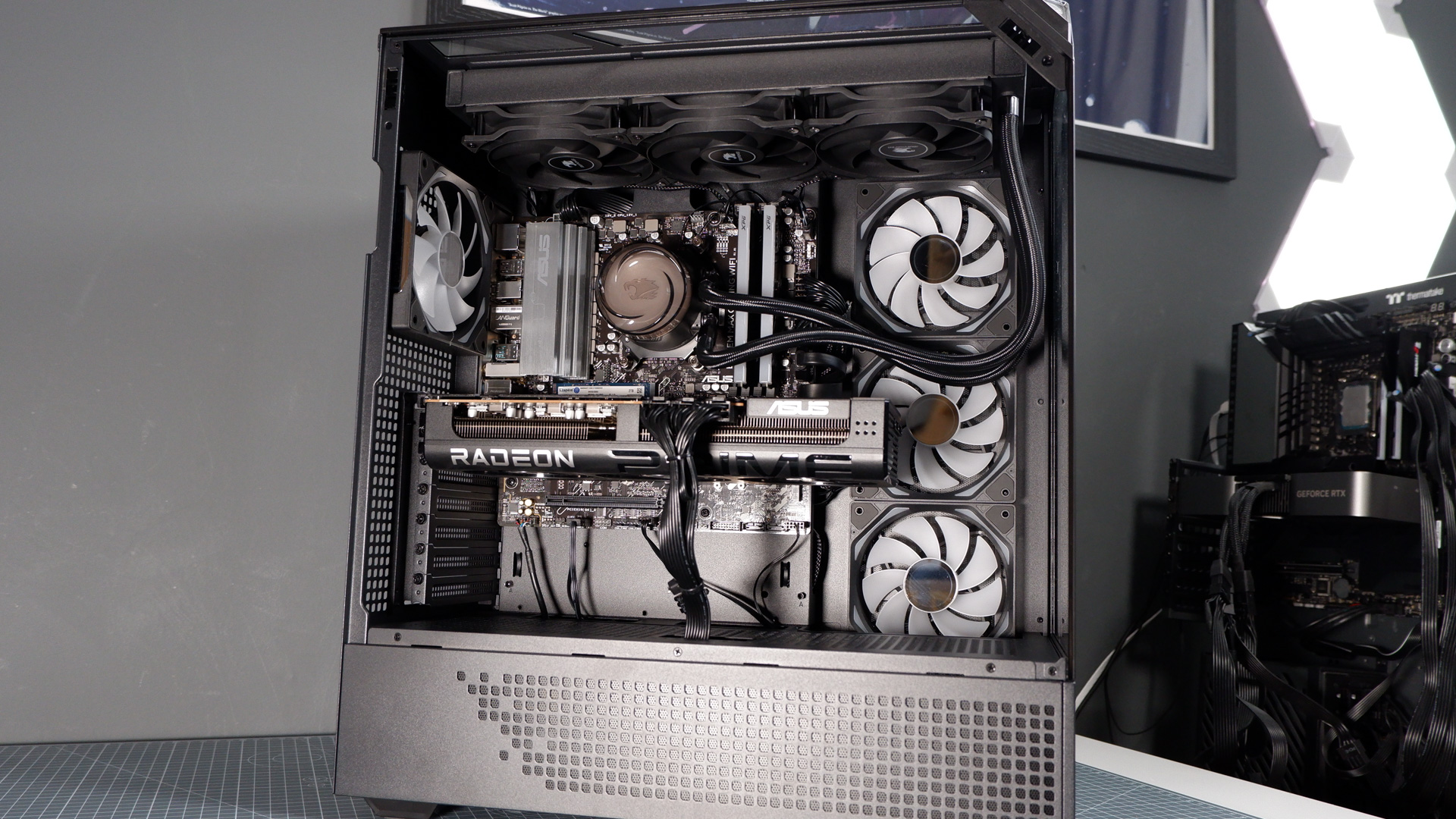
As for what I can see from pulling apart the Element Pro, this is a non-modular unit but includes a pretty good selection of cables. Though it’s not used here, the power supply comes with a 12VHPWR connection for a future upgrade if you decide to switch sides—or AMD switches connector for a forthcoming GPU generation. There’s also a bunch of SATA connectors and no shortage of 8-pin cables. The cables are black, too, which is pretty common these days, but trust me, they could be a lot uglier.
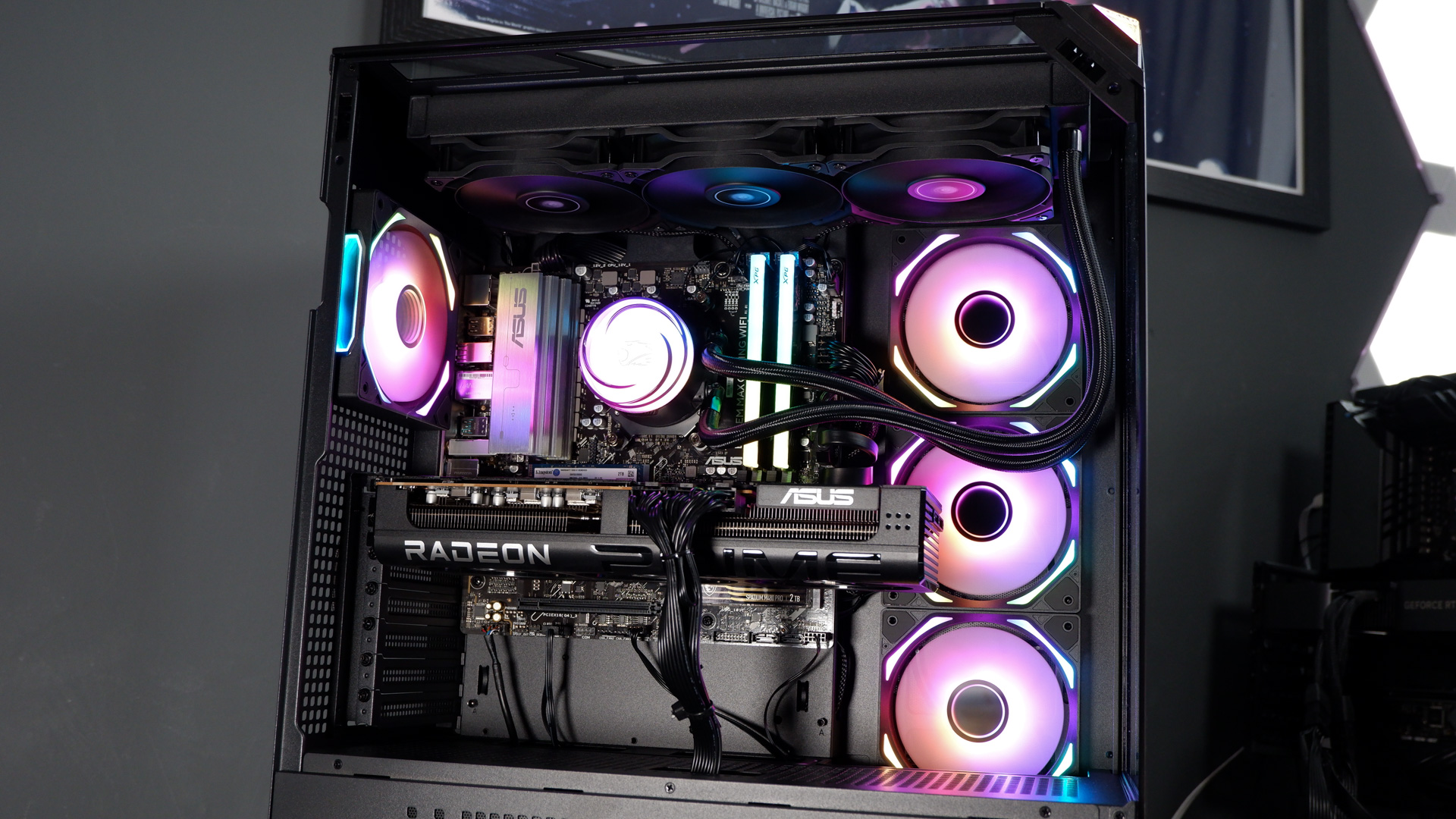
iBuyPower is using a case of its own design here, the Element 9 Pro, and it’s not a bad looking creation. It’s what’s known as a fish tank, with a windowed side panel and a windowed front panel, offering easy peeping inside. I regret that sentence already.
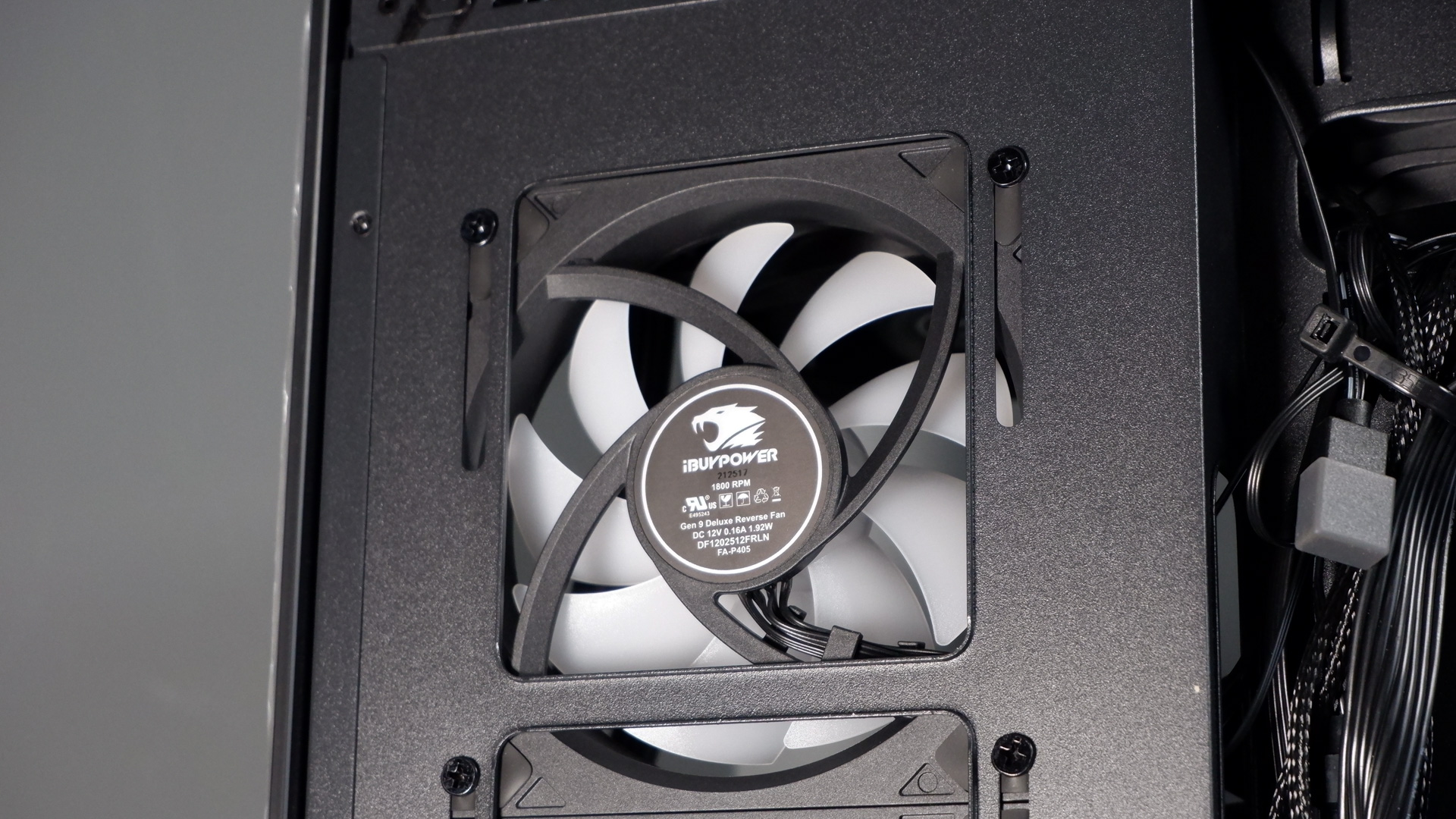
There’s room to mount three fans to the right of the motherboard tray, into which iBuyPower has rather smartly placed reversed fans. That’s a nice touch. Reverse fans are pretty much essential if you want to make a fish tank PC case actually look decent. They work the same as any normal fan except the exhaust-side all glammed up versus the intake. So, in this case (literally), you have three fans as intake rather than exhaust. These iBuyPower Gen 9 Deluxe Reverse fans run up to 1800 RPM, and while usually not my thing, I don’t mind the lighting. There is, however, a slight but noticeable wobble to them at low speeds—accentuated by the infinity mirror hubs.
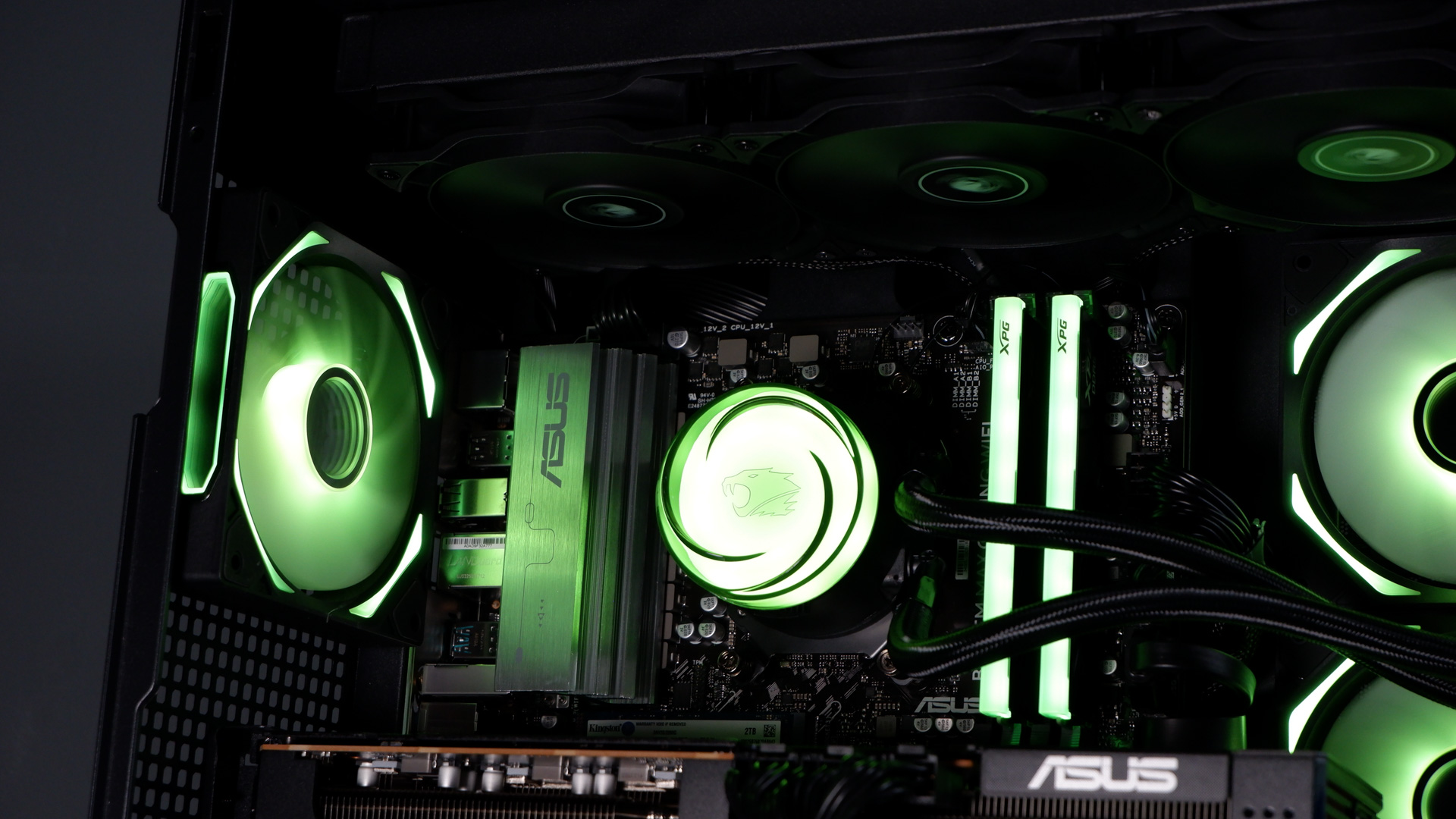
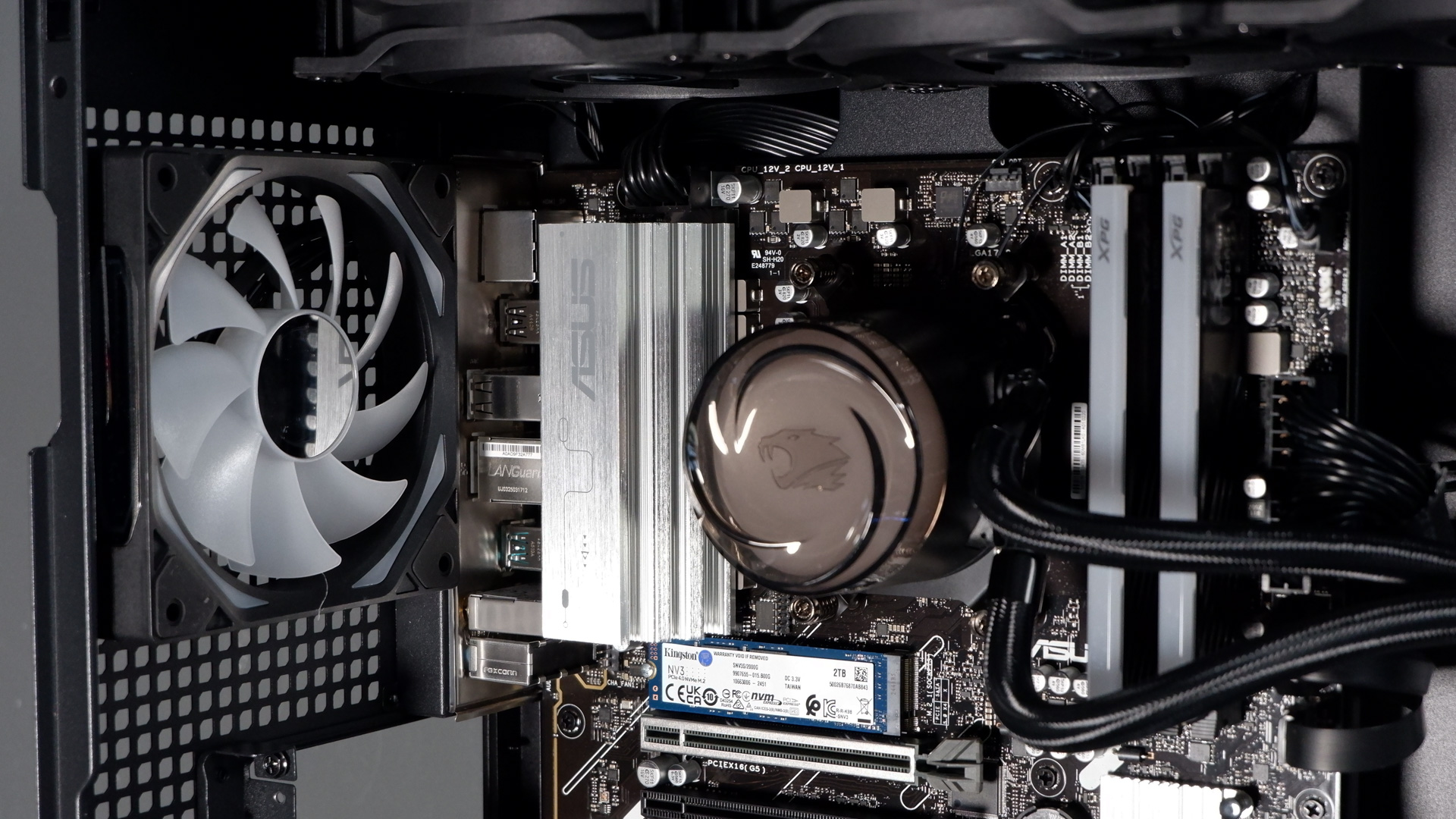
The cooler is another of iBuyPower’s own creations—sorta, someone makes it for the company but I don’t know who. It’s the AW4, which sells separately for $80. A 360 mm unit with three non-RGB fans acting as an exhaust above the motherboard in the Element Pro. The pump unit has the iBuyPower logo splashed over it, which can be rotated to fit other orientations, and backed by glorious RGB lighting.
The liquid cooler was a little sloshy during first boot. Perhaps on account of the international travel this PC took to reach here, which it survived in good part thanks to the top-notch packaging. Since then, the PC as a whole runs at fairly average noise levels. It’s not always the quietest, but it doesn’t ramp up too much on account of those slower spinning fans than most.
As for the aforementioned packaging, this is definitely a highlight. Seems a bit odd to focus on that, I know, but as someone that ships PCs in and out of PC Gamer towers every couple of weeks, I’ve come to appreciate a good box. I regret that sentence too. There’s no styrofoam used here, thank God, as I hate that stuff. It’s coarse and rough and irritating and it gets everywhere. Much more reliable foam inserts hold the Element Pro in place. Similarly, inside the PC is padded out with a specially molded foam insert that also holds the graphics card box in place.
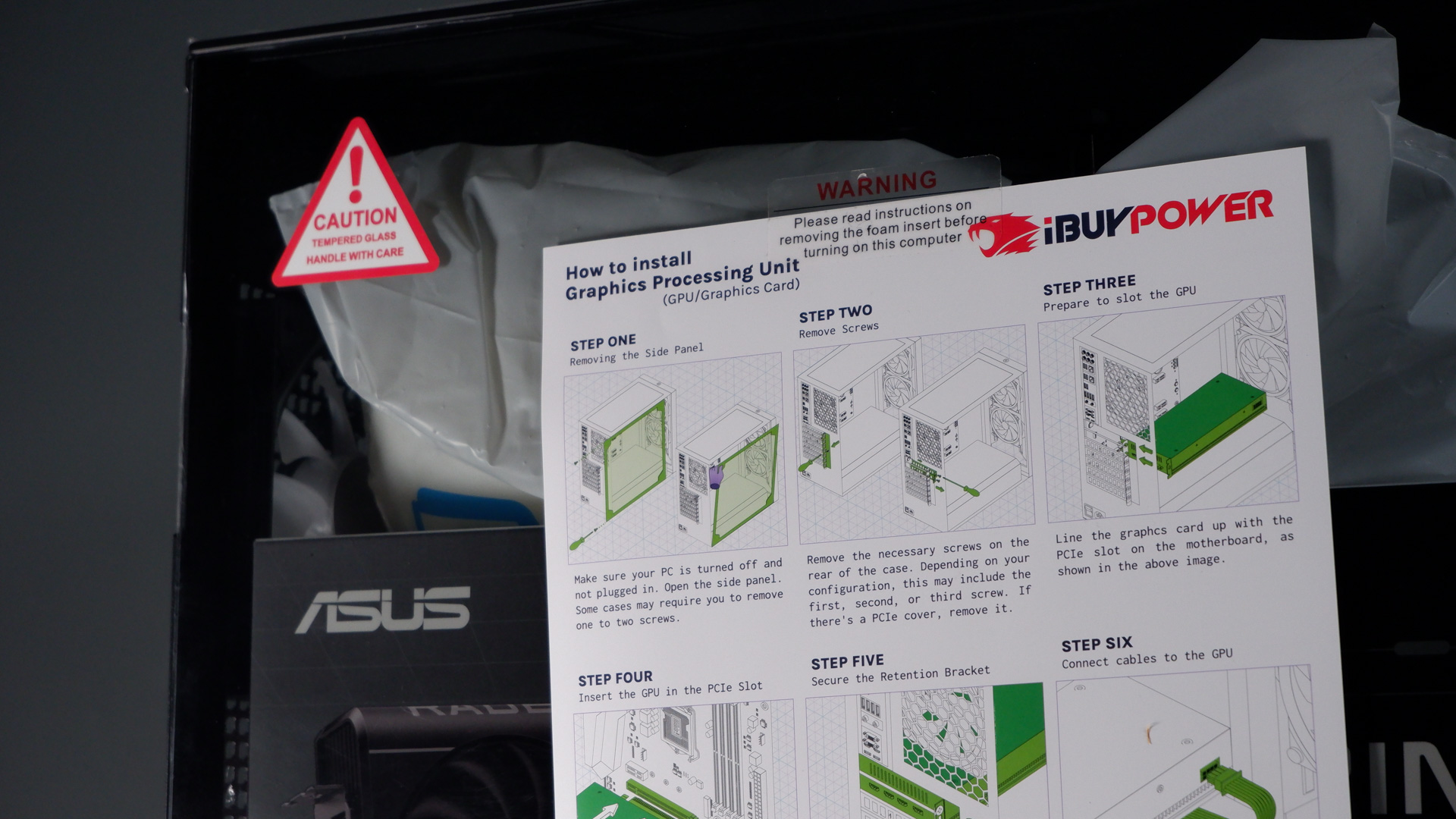
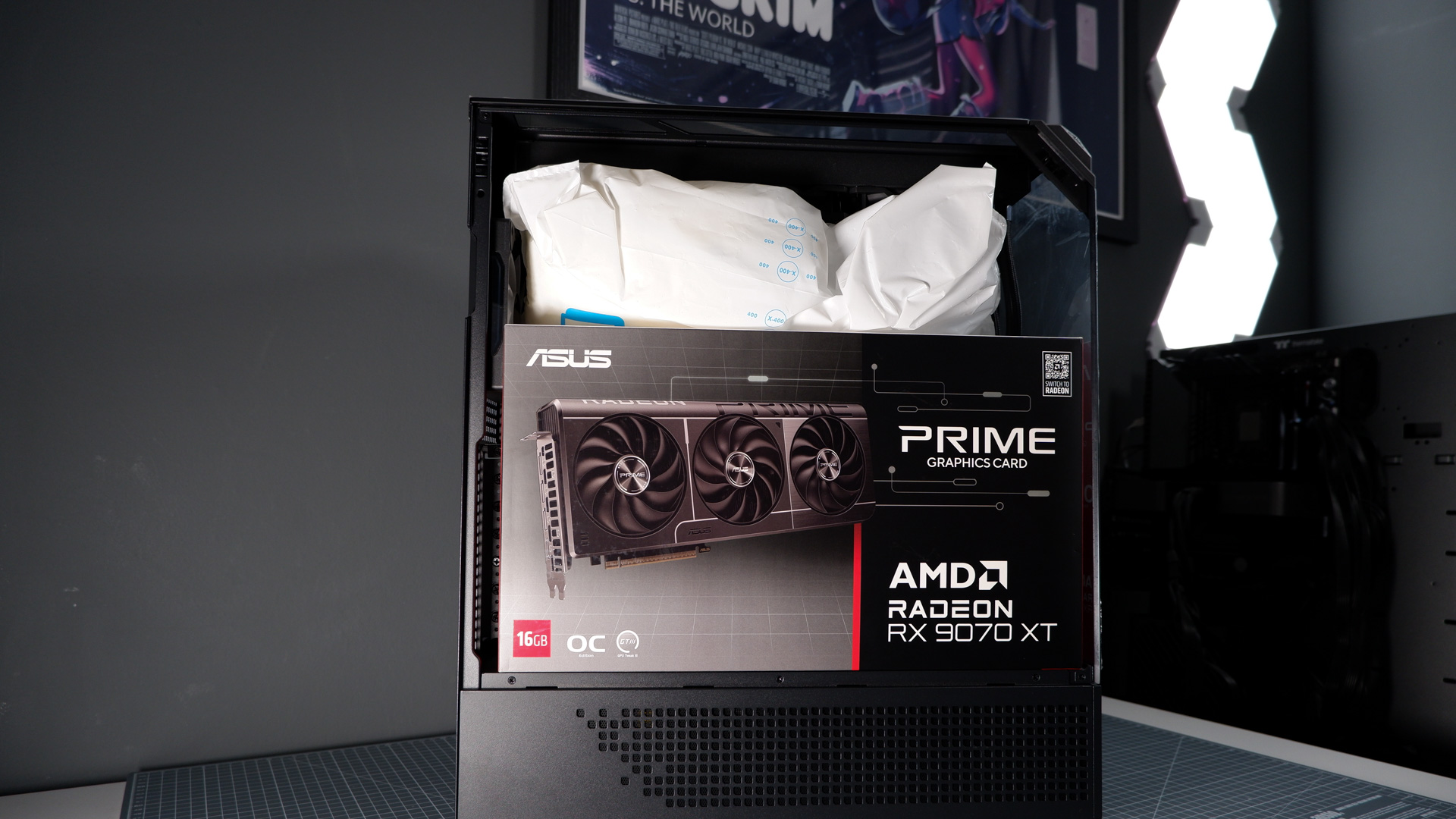
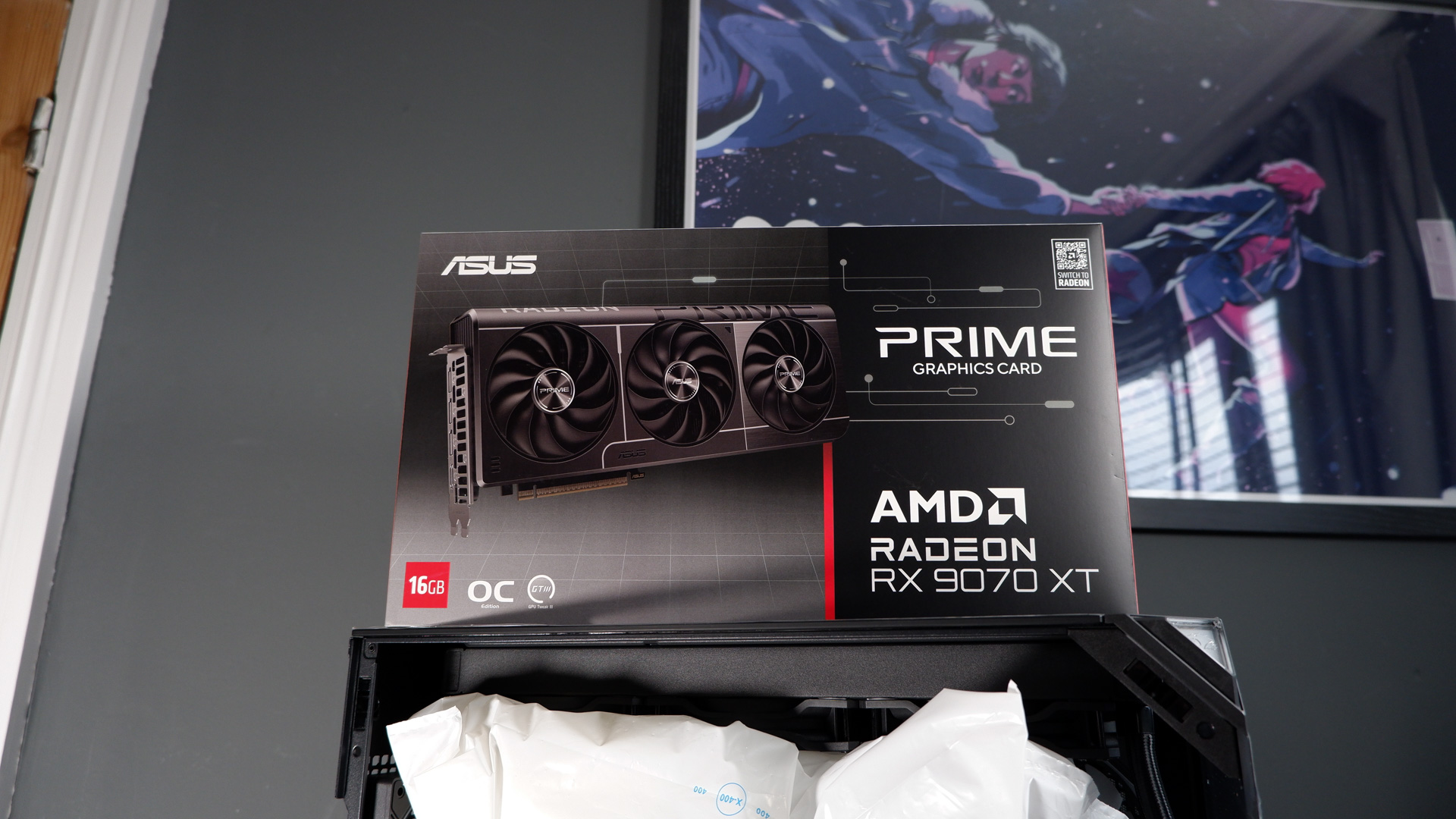
The graphics card comes packaging separately with the Element Pro. You need to install it yourself upon arrival. There are idiot-proof instructions taped to the outside of the case to make sure you do so correctly (not calling you an idiot, but even if you were, you’d be okay). Also the HDMI port on the motherboard is covered by a large sticker telling to install your HDMI/DisplayPort cable into the graphics card itself—no guesses as to why that sticker is needed.
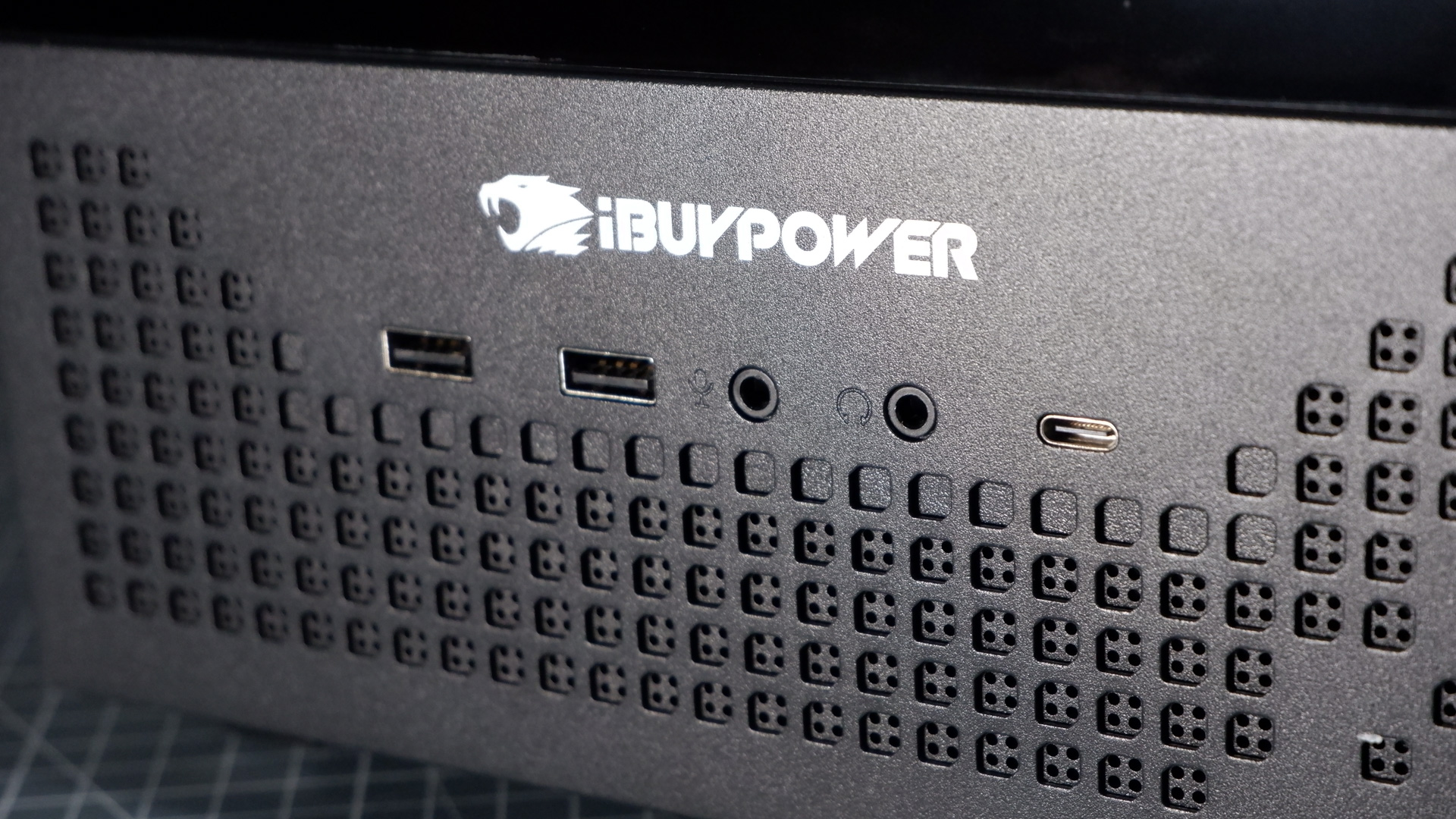
Before I fire the ol’ gal up, I want to note the front I/O. The Element Pro has two Type-A ports, one Type-C port, and dedicated microphone and headphone ports, but they’re quite far down the front panel. If you’re going to sit this PC on your desk, it’s perfect, but under the desk, it’s a pain. The power button nearly makes up for me reaching down to plug stuff in all the time. It lights up when pressed, and with a satisfying click, it feels like some sort of toy you’d get as a kid. I mean that as a compliment.
Gaming PC performance testing
Avg FPS
1% Low FPS
| Product | Value |
|---|---|
| iBuyPower RDY Element 9 Pro R07 | RX 9070 XT | 7800X3D | 66 Avg FPS, 55 1% Low FPS |
| Custom PC | RX 9070 XT | 9700X | 68 Avg FPS, 56 1% Low FPS |
| Custom PC #10 (issue 412) | RTX 5070 Ti | 9800X3D | 66 Avg FPS, 52 1% Low FPS |
| Custom PC #12 (issue 414) | RX 9070 XT | 9800X3D | 67 Avg FPS, 53 1% Low FPS |
Avg FPS
1% Low FPS
| Product | Value |
|---|---|
| iBuyPower RDY Element 9 Pro R07 | RX 9070 XT | 7800X3D | 184 Avg FPS, 102 1% Low FPS |
| Custom PC | RX 9070 XT | 9700X | 194 Avg FPS, 163 1% Low FPS |
| Custom PC #10 (issue 412) | RTX 5070 Ti | 9800X3D | N/A |
| Custom PC #12 (issue 414) | RX 9070 XT | 9800X3D | 188 Avg FPS, 152 1% Low FPS |
Avg FPS
1% Low FPS
| Product | Value |
|---|---|
| iBuyPower RDY Element 9 Pro R07 | RX 9070 XT | 7800X3D | 115 Avg FPS, 42 1% Low FPS |
| Custom PC | RX 9070 XT | 9700X | 122 Avg FPS, 46 1% Low FPS |
| Custom PC #10 (issue 412) | RTX 5070 Ti | 9800X3D | 169 Avg FPS, 51 1% Low FPS |
| Custom PC #12 (issue 414) | RX 9070 XT | 9800X3D | 119 Avg FPS, 46 1% Low FPS |
Avg FPS
1% Low FPS
| Product | Value |
|---|---|
| iBuyPower RDY Element 9 Pro R07 | RX 9070 XT | 7800X3D | 68 Avg FPS, 27 1% Low FPS |
| Custom PC | RX 9070 XT | 9700X | 79 Avg FPS, 32 1% Low FPS |
| Custom PC #10 (issue 412) | RTX 5070 Ti | 9800X3D | 82 Avg FPS, 46 1% Low FPS |
| Custom PC #12 (issue 414) | RX 9070 XT | 9800X3D | 78 Avg FPS, 36 1% Low FPS |
Avg FPS
1% Low FPS
| Product | Value |
|---|---|
| iBuyPower RDY Element 9 Pro R07 | RX 9070 XT | 7800X3D | 56 Avg FPS, 49 1% Low FPS |
| Custom PC | RX 9070 XT | 9700X | 57 Avg FPS, 45 1% Low FPS |
| Custom PC #10 (issue 412) | RTX 5070 Ti | 9800X3D | 57 Avg FPS, 42 1% Low FPS |
| Custom PC #12 (issue 414) | RX 9070 XT | 9800X3D | 56 Avg FPS, 43 1% Low FPS |
Avg FPS
1% Low FPS
| Product | Value |
|---|---|
| iBuyPower RDY Element 9 Pro R07 | RX 9070 XT | 7800X3D | 83 Avg FPS, 51 1% Low FPS |
| Custom PC | RX 9070 XT | 9700X | 82 Avg FPS, 67 1% Low FPS |
| Custom PC #10 (issue 412) | RTX 5070 Ti | 9800X3D | 83 Avg FPS, 66 1% Low FPS |
| Custom PC #12 (issue 414) | RX 9070 XT | 9800X3D | 81 Avg FPS, 67 1% Low FPS |
Index
Avg bandwidth (MB/s)
| Product | Value |
|---|---|
| iBuyPower RDY Element 9 Pro R07 | RX 9070 XT | 7800X3D | 2343 Index, 403.37 Avg bandwidth (MB/s) |
| Custom PC | RX 9070 XT | 9700X | 1314 Index, 227.35 Avg bandwidth (MB/s) |
| Custom PC #10 (issue 412) | RTX 5070 Ti | 9800X3D | 2572 Index, 441.63 Avg bandwidth (MB/s) |
| Custom PC #12 (issue 414) | RX 9070 XT | 9800X3D | 3493 Index, 593.52 Avg bandwidth (MB/s) |
CPU score
GPU score
| Product | Value |
|---|---|
| iBuyPower RDY Element 9 Pro R07 | RX 9070 XT | 7800X3D | 6031 CPU score, 14162 GPU score |
| Custom PC | RX 9070 XT | 9700X | 6341 CPU score, 14681 GPU score |
| Custom PC #10 (issue 412) | RTX 5070 Ti | 9800X3D | 6976 CPU score, 13042 GPU score |
| Custom PC #12 (issue 414) | RX 9070 XT | 9800X3D | 7415 CPU score, 14309 GPU score |
Compressing
Decompressing
| Product | Value |
|---|---|
| iBuyPower RDY Element 9 Pro R07 | RX 9070 XT | 7800X3D | 115 Compressing, 131 Decompressing |
| Custom PC | RX 9070 XT | 9700X | 120 Compressing, 124 Decompressing |
| Custom PC #10 (issue 412) | RTX 5070 Ti | 9800X3D | 115 Compressing, 131 Decompressing |
| Custom PC #12 (issue 414) | RX 9070 XT | 9800X3D | 132 Compressing, 143 Decompressing |
Avg FPS
1% Low FPS
| Product | Value |
|---|---|
| iBuyPower RDY Element 9 Pro R07 | RX 9070 XT | 7800X3D | N/A |
| Custom PC | RX 9070 XT | 9700X | 106 Avg FPS, 67 1% Low FPS |
| Custom PC #10 (issue 412) | RTX 5070 Ti | 9800X3D | 134 Avg FPS, 53 1% Low FPS |
| Custom PC #12 (issue 414) | RX 9070 XT | 9800X3D | 146 Avg FPS, 87 1% Low FPS |
CPU (samples)
GPU (samples)
| Product | Value |
|---|---|
| iBuyPower RDY Element 9 Pro R07 | RX 9070 XT | 7800X3D | 83 CPU (samples), 918 GPU (samples) |
| Custom PC | RX 9070 XT | 9700X | 87 CPU (samples), 828 GPU (samples) |
| Custom PC #10 (issue 412) | RTX 5070 Ti | 9800X3D | 93 CPU (samples), 1909 GPU (samples) |
| Custom PC #12 (issue 414) | RX 9070 XT | 9800X3D | 101 CPU (samples), 880 GPU (samples) |
Multithread score
Single-thread score
| Product | Value |
|---|---|
| iBuyPower RDY Element 9 Pro R07 | RX 9070 XT | 7800X3D | 1046 Multithread score, 110 Single-thread score |
| Custom PC | RX 9070 XT | 9700X | 1119 Multithread score, 134 Single-thread score |
| Custom PC #10 (issue 412) | RTX 5070 Ti | 9800X3D | 1227 Multithread score, 128 Single-thread score |
| Custom PC #12 (issue 414) | RX 9070 XT | 9800X3D | 1323 Multithread score, 128 Single-thread score |
| Product | Value |
|---|---|
| iBuyPower RDY Element 9 Pro R07 | RX 9070 XT | 7800X3D | 75 |
| Custom PC | RX 9070 XT | 9700X | 77 |
| Custom PC #10 (issue 412) | RTX 5070 Ti | 9800X3D | 85 |
| Custom PC #12 (issue 414) | RX 9070 XT | 9800X3D | 90 |

Temperatures
Measured during Metro Exodus
Avg (°C)
Max (°C)
| Product | Value |
|---|---|
| iBuyPower RDY Element 9 Pro R07 | RX 9070 XT | 7800X3D | 63 Avg (°C), 71 Max (°C) |
| Custom PC | RX 9070 XT | 9700X | 56 Avg (°C), 72 Max (°C) |
| Custom PC #10 (issue 412) | RTX 5070 Ti | 9800X3D | 67 Avg (°C), 74 Max (°C) |
| Custom PC #12 (issue 414) | RX 9070 XT | 9800X3D | 50 Avg (°C), 53 Max (°C) |
Avg (°C)
Max (°C)
| Product | Value |
|---|---|
| iBuyPower RDY Element 9 Pro R07 | RX 9070 XT | 7800X3D | 60 Avg (°C), 61 Max (°C) |
| Custom PC | RX 9070 XT | 9700X | 54 Avg (°C), 56 Max (°C) |
| Custom PC #10 (issue 412) | RTX 5070 Ti | 9800X3D | 69 Avg (°C), 73 Max (°C) |
| Custom PC #12 (issue 414) | RX 9070 XT | 9800X3D | 57 Avg (°C), 59 Max (°C) |
So, pressing the very cool button, I can finally take this baby for a spin. It lights up every colour of the rainbow by default, but you can change that via the application provided with the Asus motherboard—everything is connected via the built-in mobo header. That’s actually the only non-default Windows 11 application installed on this machine when I run it. Nothing else—no antivirus, no popups, no annoyances. Love to see it.
As for performance, the Element Pro performs around the same level as a custom build I put together a few months ago with an Asus Prime RX 9070 XT 16 GB and Ryzen 7 9700X. It also performs pretty similarly to another one of my custom builds with a 9070 XT and 9800X3D. That is to say, it’s more or less where you’d expect it to be, which is a little boring. But boring is good.CPU temps are also nothing out of the ordinary. While GPU temps are a touch higher than similar builds—likely due to the indirect airflow provided by the case—but well within reason.
✅ You don’t want to think about any upgrades for a while: While not the cheapest system with comparable parts, you at least get 32 GB of RAM and 2 TB of storage at a time when both things come at a premium.
❌ You are looking for the absolute best value for money: Even iBuyPower offers a cheaper build with similar parts elsewhere, so you might find a better deal if you search around.
I’ve come away impressed. With the build, cable management, and performance. The part selection is good, if not quite great, due to the high latency RAM kit, slower drive, and non-modular PSU. Though all acceptable equivalences for a prebuilt PC with a 3-year warranty (3 year labour and 2-year parts) at a reasonable price point.
That said, I did open this review with complaints of higher than usual price points in PC hardware. This PC among those affected by the crunch. It should also be noted that you can buy an equivalent PC from iBuyPower via Newegg with a lower price tag and similar components. Here’s one for $1,800 with more or less the same parts, a different case, and half the storage capacity. But that’s a big saving. If not this PC, there’ll likely be something like it.
So, however much I do like the Element Pro—and I do—it’s tough to argue with the value of other gaming PC deals out there. Especially as some still feel like they’re yet to see the worst of the memory crisis. But if you’re reading this when there are no deals at play, then I have come away from my time with the Element Pro feeling like I’d be happy with what it offers for the cash. It’s tidy.


Great review! It’s interesting to see how the iBuyPower RDY Element 9 Pro R07 stacks up in today’s market. Despite the rising prices, it seems like a solid option for gamers. Thanks for sharing your insights!
Thanks for your comment! It’s definitely a competitive market right now, and the pricing trends can really impact choices for gamers. The Element 9 Pro R07 does offer some solid specs for its price, which might make it a worthwhile investment despite the rising costs.
Thanks for your insight! It’s interesting to see how the increasing demand for gaming PCs is influencing prices. With new components constantly being released, it might pay off to keep an eye on upcoming sales or bundles that could offer better value.
You’re welcome! It really is fascinating how the rise in demand is affecting prices across the board. Additionally, with new technology emerging, it might be worth considering whether investing in a more powerful rig now could save money in the long run as older models drop in value.