
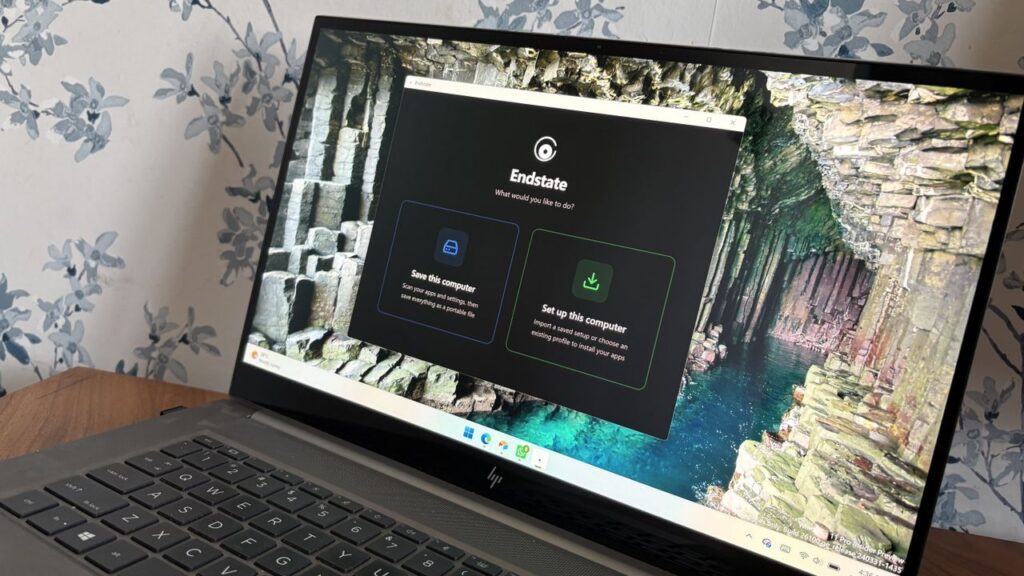

Windows power users, PC builders, and admins have a new tool at their disposal that makes it easy to restore a PC after reinstalling Windows or setting up a new PC. The app, called Endstate, streamlines the process of reinstalling applications and can also restore your settings and preferences within supported apps.
Endstate is a free app designed for Windows, though Linux and macOS support are on the way. You can grab Endstate through GitHub.
I spoke with the developer of Endstate to better understand where the app is now and where it could evolve in the future.
Endstate uses WinGet and Chocolatey, which allow it to install a massive library of applications available across those package managers. But the real standout feature is that Endstate can capture the settings of your app into a zip file to make restoration simple.
When you reinstall Windows or set up a new PC, you have to install your required apps as well. A package manager like Chocolatey or WinGet can streamline that process, but the restored applications will be set to their factory defaults. All the toggles and settings you spent time customizing are reset to their base state.
Endstate supports settings restoration on 357 apps right now. Among those supported are some big-name apps such as MSI Afterburner, Adobe Lightroom Classic, VS Code, Windows Terminal, PowerToys, Git, Obsidian, OBS Studio, Notepad++ and ShareX.
Settings restoration is separate from app restoration. If an app is available through Chocolatey or WinGet but does not support settings restore, Endstate can still install the app.
Restoring settings is also done on a per-app basis.
You can use Endstate without an account and the app works offline.
Windows vs iOS and Android
Despite any Apple marketing campaigns about how many apps there are on iOS, Windows trounces all other operating systems when it comes to app selection. That is in part because everything from ancient programs to modern web apps works on Windows 11.
Because of the legacy support on Windows 11, we don’t get all the benefits of modern applications on PCs. For example, any iOS or Android user may have read this article and been confused because saving and restoring app settings is commonplace on smartphones.
But on Windows 11, Endstate fills a notable gap. With only 357 apps that support settings restoration, Endstate has a ways to go before matching the native experience on iOS and Android, but it’s still nice to see. I hope more app developers embrace Endstate and make it possible to save and restore settings.

Join us on Reddit at r/WindowsCentral to share your insights and discuss our latest news, reviews, and more.