


When I first tested Copilot many moons ago, I wasn’t particularly impressed. Chief among my complaints was its lack of integration with common Windows features, but it looks like that’s about to get a boost—as the latest Windows Insider build allows users to request changes to their PC settings through Copilot, to which it will respond with an appropriate link.
Microsoft says that Copilot app update 1.25095.161 is already beginning to roll out across all Windows Insider channels, and that asking it to “make my screen easier to read” or “help me focus by reducing distractions” will cause it to guide users to the relevant Windows settings page, complete with a brief summation of how to make the changes they seek.
Which sort of feels like a tacit admission that Windows settings are a bit of a mess, doesn’t it? Anyway, this actually seems like useful functionality for your everyday user, something that Copilot has always had the promise of delivering, but in many cases has come up short.
I often act as tech support for the majority of my family and friends, and much of that comes down to pointing them towards a setting that does exactly what they’re asking for, but is tucked away in Win 11’s settings labyrinth. If Copilot can take the strain and help out the less tech-inclined in one easy swoop? Y’know what, I’m actually rooting for it.
Presumably, it’ll also have more functionality than responding to those two requests, although Microsoft doesn’t give any more examples. I’m looking forward to testing out the limits of this new functionality, as I’d be willing to bet it occasionally has a moment of confusion. Still, if it’s even somewhat accurate, it strikes as a bit of a boon for users unfamiliar with all of the many changes you can make to a Windows machine.
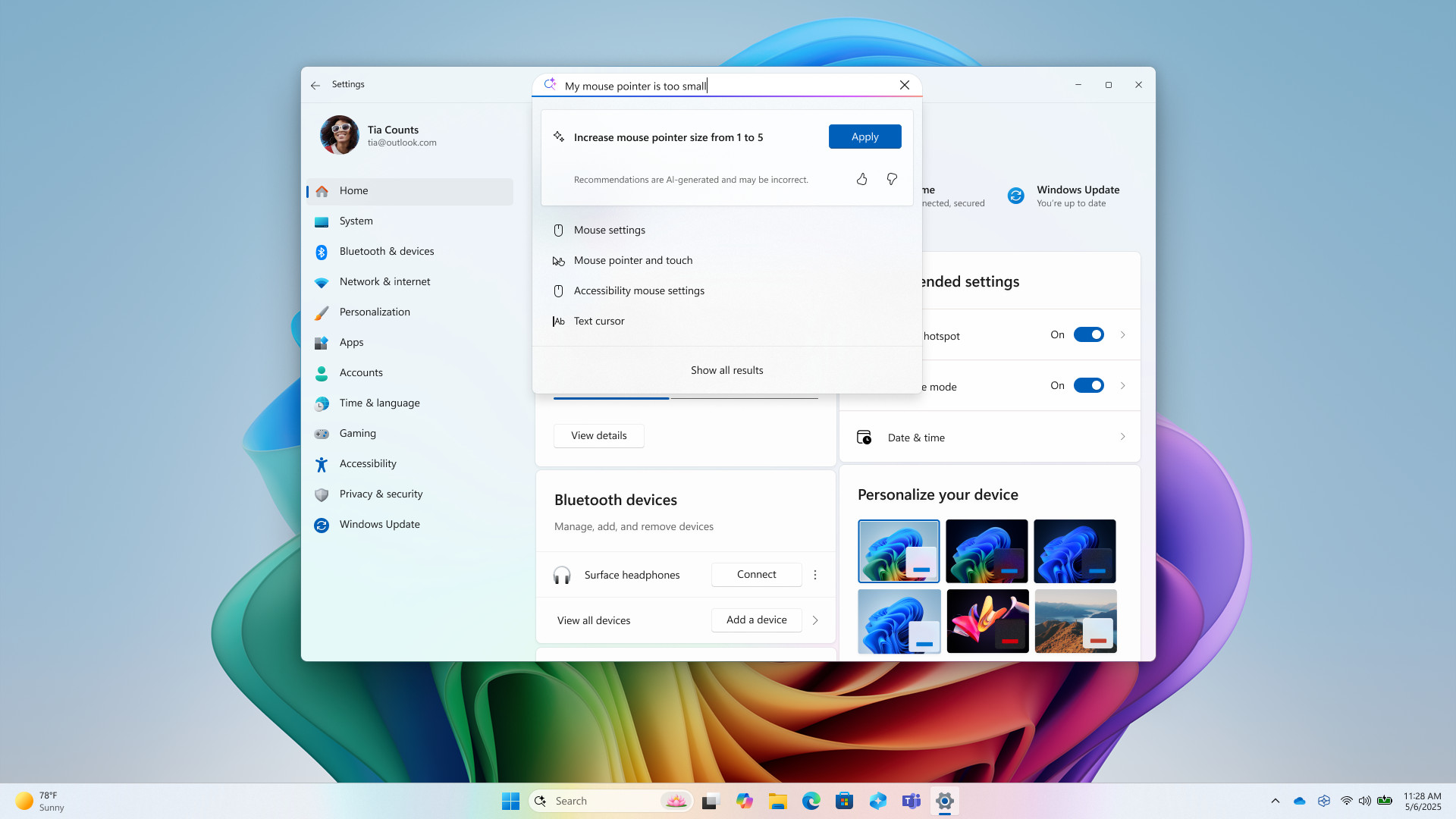
MS cautions that, as a gradual rollout, not all Insiders will get the update right away. Boo. And of course, you’ll need to be a part of the Windows Insider programme in the first place, which you can sign up for through the Windows Update page in the Settings menu, or through this page here.
Which Copilot would be able to tell you about, presumably, if the order of logic here wasn’t the wrong way round. Turns out there’s still room left for a humble hardware writer to provide a home-cooked technical pointer. Take that, Copilot. I’m still useful, see?


It’s great to see Copilot getting new features in the latest Windows Insider build! Hopefully, this improvement makes navigating settings a smoother experience. Change can be tricky, but it sounds like there’s potential for progress.
I agree, it’s exciting to see the improvements! I’m curious to see how these new features will enhance user experience, especially with navigating settings more efficiently. It could really streamline some of those more tedious tasks.
Absolutely, it will be interesting to see how Copilot’s ability to navigate settings impacts overall user experience. With more intuitive access, it could really streamline troubleshooting and customization for users. Looking forward to hearing how others find it!
I agree, it will be fascinating to see how Copilot streamlines the user experience. If it can genuinely simplify finding settings without making changes, it could enhance productivity for many users. I’m curious to see how feedback from this build will shape future updates!
Absolutely, streamlining the user experience is key! It’ll be interesting to see how Copilot balances assistance without overwhelming users. I wonder if future updates will allow for more personalized recommendations based on user habits.
I agree, a streamlined experience is essential for user satisfaction! It will be fascinating to see how Copilot enhances accessibility to settings without complicating the interface further. Balancing functionality and simplicity could really elevate the overall Windows experience.
how Copilot evolves with user feedback. It’s interesting to think about how AI can not only assist but also learn from our preferences over time, potentially making future updates even more tailored to individual needs.